
Minuteman Press
Franchise accounting standardization
- franchise locations
- 900
- countries
- 5
- less mundane monthly work
- 40%
Each Clover location's day lands in the right QuickBooks accounts, and Clover's monthly fee debit is split back to the stores it came from.
 Intuit Gold Partner
 SOC 2 Type II


 1,000+ Five-Star Reviews


CloverEvery merchant account

Collecting

QuickBooks Online
✓ Posted
✓ Fees split by store
Bank
Yes. Autymate handles Clover to QuickBooks Online as a done-for-you service, whether you run one pizzeria or a dozen merchant accounts: every store's closed day lands in accounts your accountant signed off on, deposits clear against their own days, and the monthly fee debit is split back to the stores. Clover's own option is Accounting Sync, a daily sync to QuickBooks Online on Clover plans that include it.
A Clover day goes from the 1:00 a.m. close to a balanced QuickBooks entry, then to its deposit.
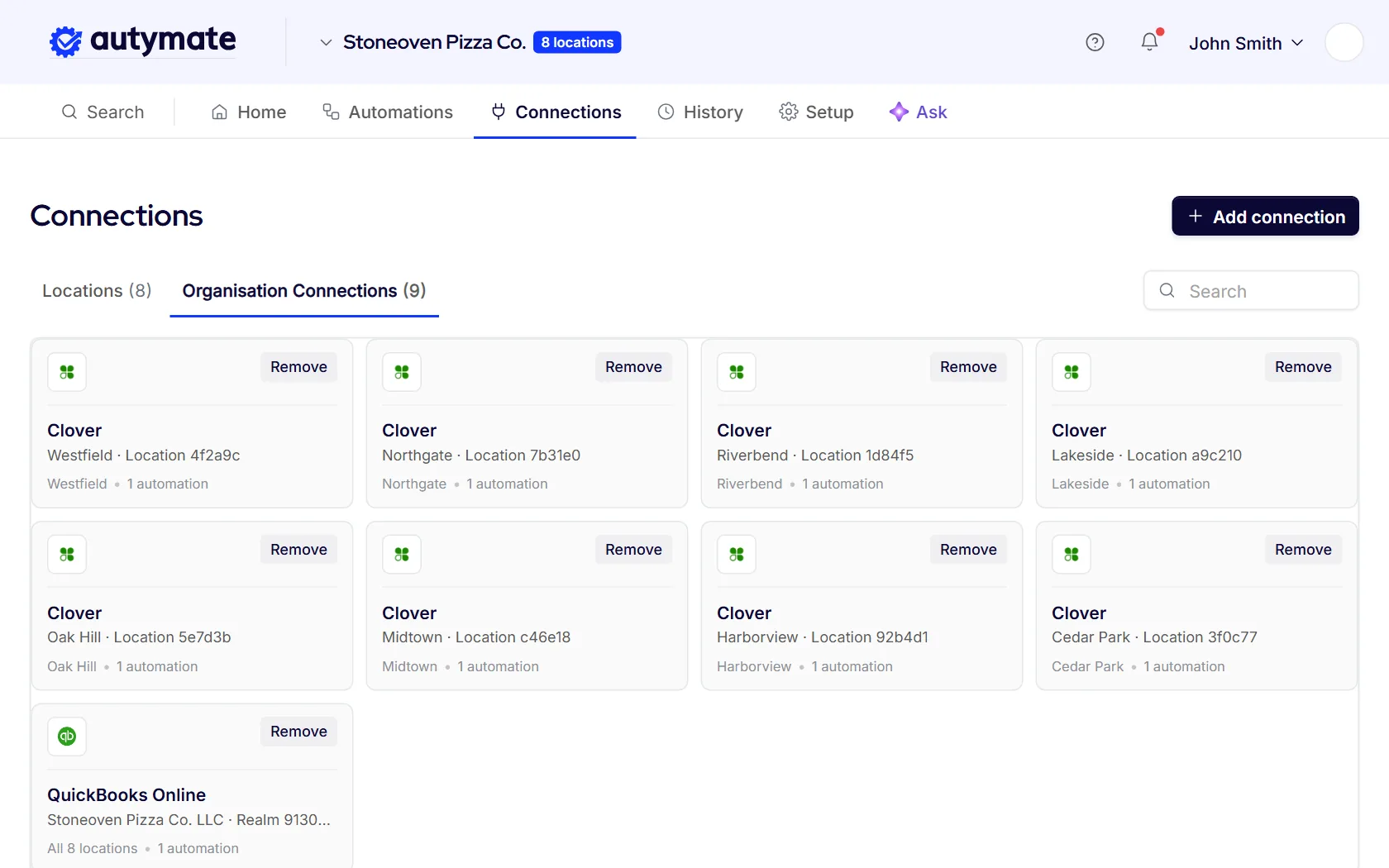
One connection per Clover merchant ID reads each location's closed day, store by store.
Replaces: a separate sync setup for each Clover account
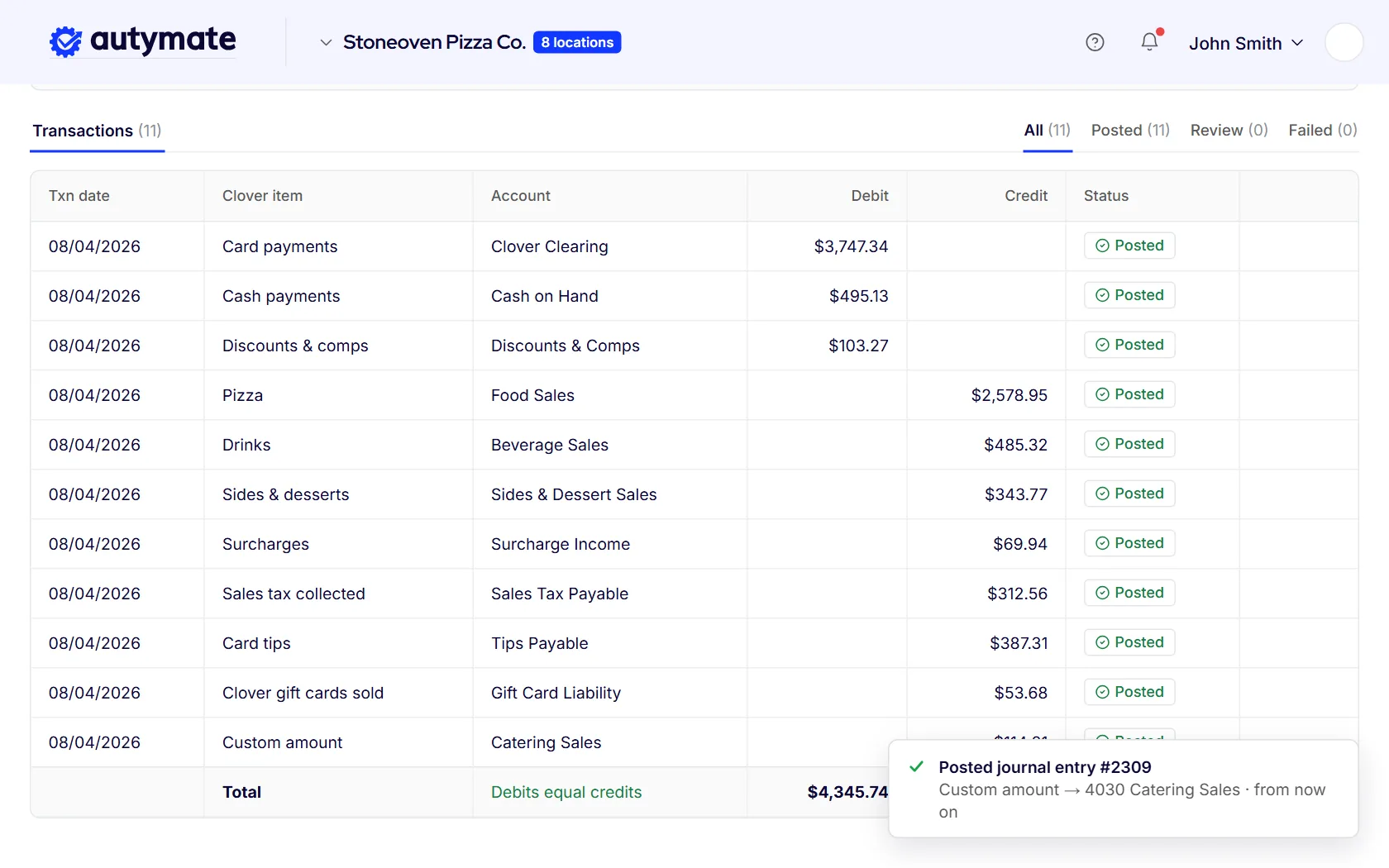
Pizza, drinks and sides post to their own income accounts instead of one generic “Clover Item”.
Replaces: re-sorting lumped sales at month-end
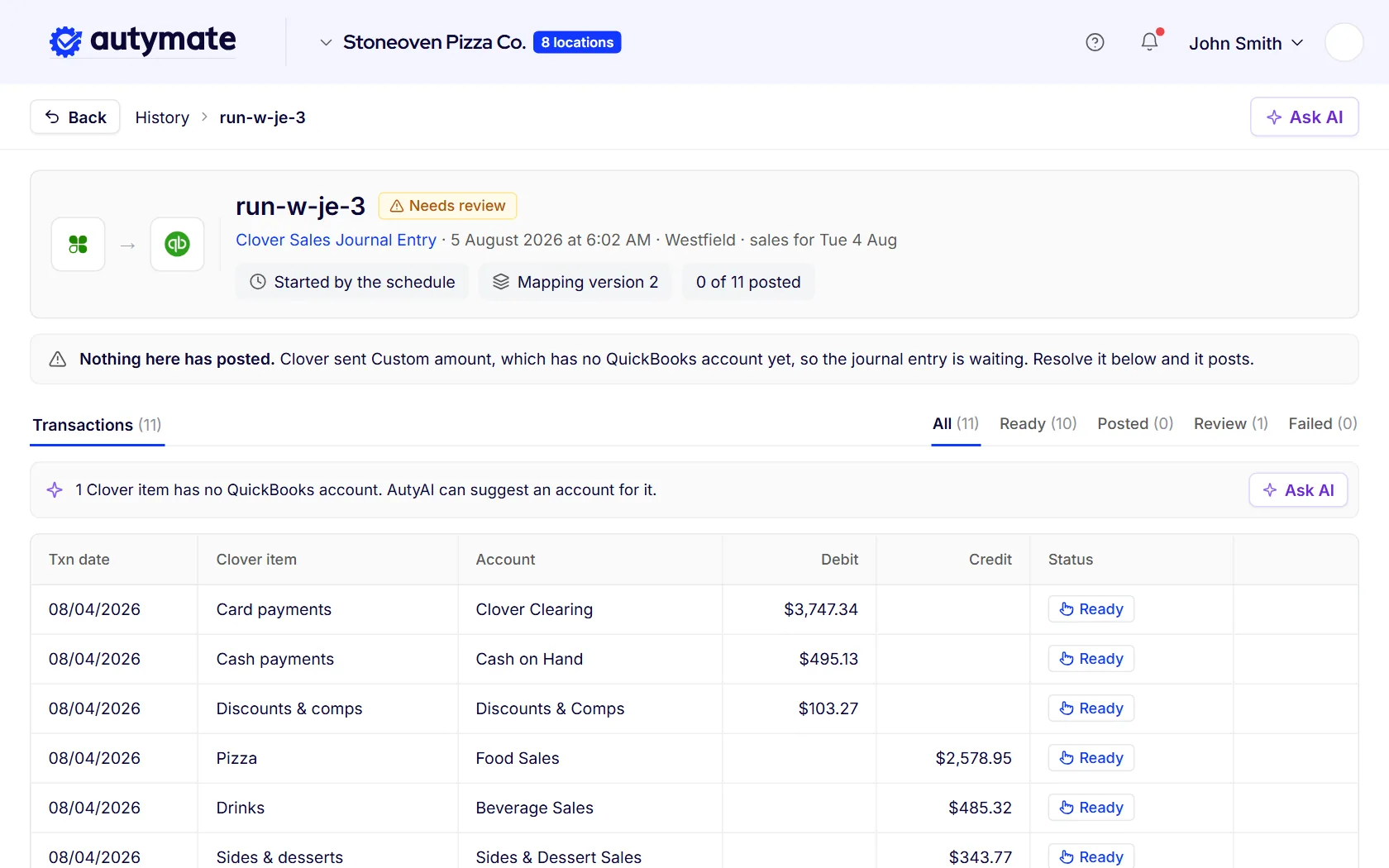
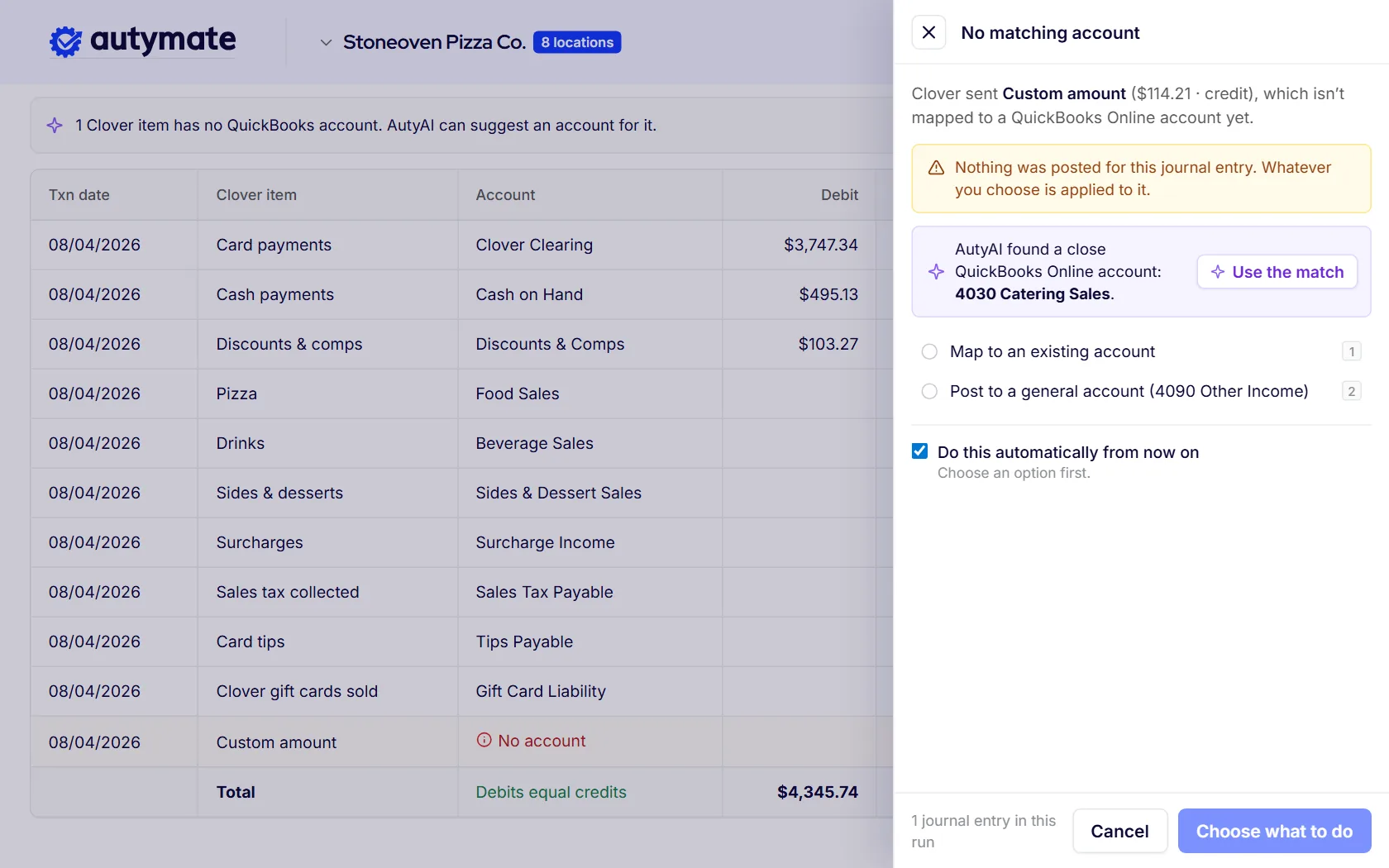
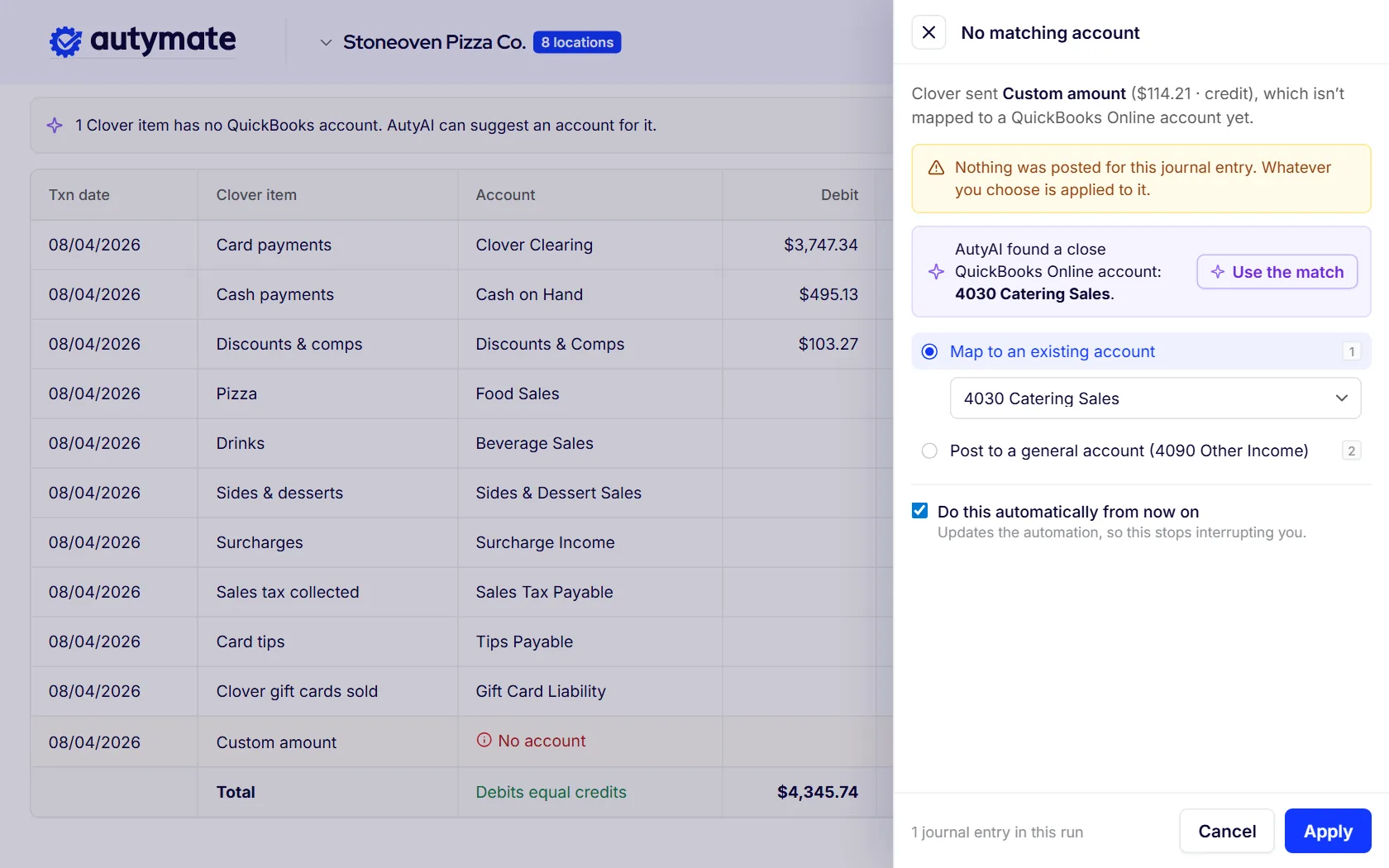
A custom amount rung up without a category stops for a decision instead of posting blind.
Replaces: finding a misposted sale during reconciliation
The deposit clears the day's clearing balance, so the bank feed can't add the sale a second time.
Replaces: income that shows up twice
Clover's one monthly fee debit is divided across the stores whose card sales produced it.
Replaces: one unexplained debit at the start of the month
A store whose day never closed shows up as a gap, then posts as soon as it closes.
Replaces: a gap found at month-end
| Clover | QuickBooks |
|---|---|
| Categories | Income accounts, by category |
| Sales tax | Sales tax payable |
| Card tips | Tips payable, until payroll |
| Service charges | Their own income account |
| Surcharges and Cash Discount | Their own income account, apart from sales |
| Gift cards sold | Gift card liability, released when redeemed |
| Discounts and refunds | Their own contra-revenue accounts |
| Card payments | Clover clearing, until the deposit |
| Monthly processing fees | Merchant fee expense, split by location |
Your accountant names the accounts; these are the treatments most Clover groups choose.
Clover often deposits each night's card total in full and bills its fees once a month.
Many Clover merchants are billed processing fees once a month. Each night's card total reaches the bank in full, so matching a deposit to its day is exact, and one debit for the whole month's fees leaves early the next month. That debit belongs to every store at once. Autymate posts it to merchant fees and splits it across your locations by card volume, so each store's profit and loss carries its own fees.
Clover fee debit · Dec 3$1,846.12
| Store | November card sales | Share of the fee | |
|---|---|---|---|
| Westfield$41,280.00 card sales | $598.79 | 32.4% | |
| Riverbend$35,610.00 card sales | $516.54 | 28.0% | |
| Northgate$28,950.00 card sales | $419.94 | 22.8% | |
| Lakeside$21,430.00 card sales | $310.85 | 16.8% |
Every Clover merchant ID maps to a QuickBooks location, a class or its own company file.
Clover gives every store its own merchant account, so eight pizzerias mean eight Clover logins and eight separate day closes. Autymate reads each one and files it where your books expect it: as a QuickBooks location or class when the stores share a company, or in a company file of its own when a store is its own business. A new store inherits the mapping on day one.
Stores you own
Eight merchant IDsOne company fileStores franchisees own
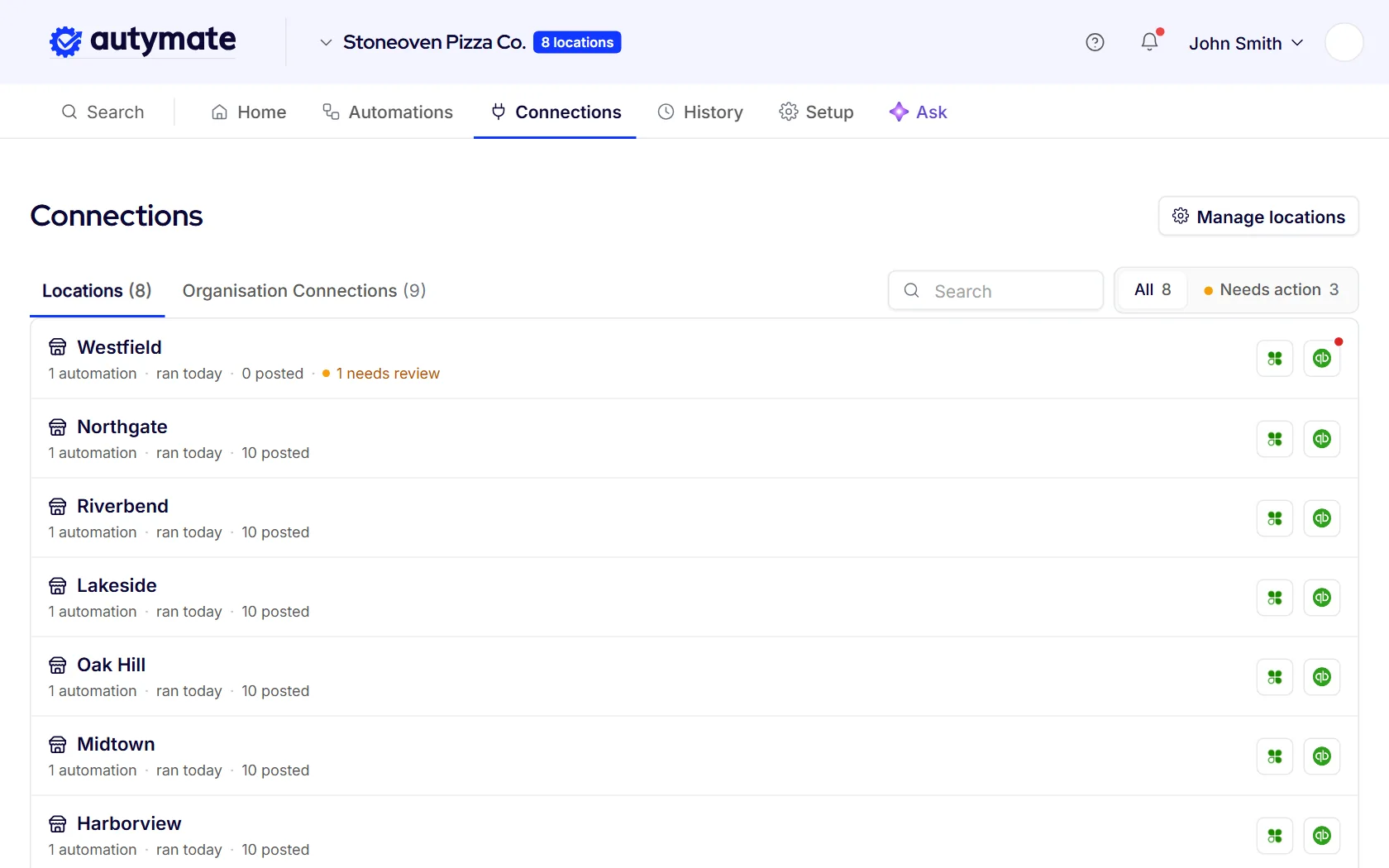
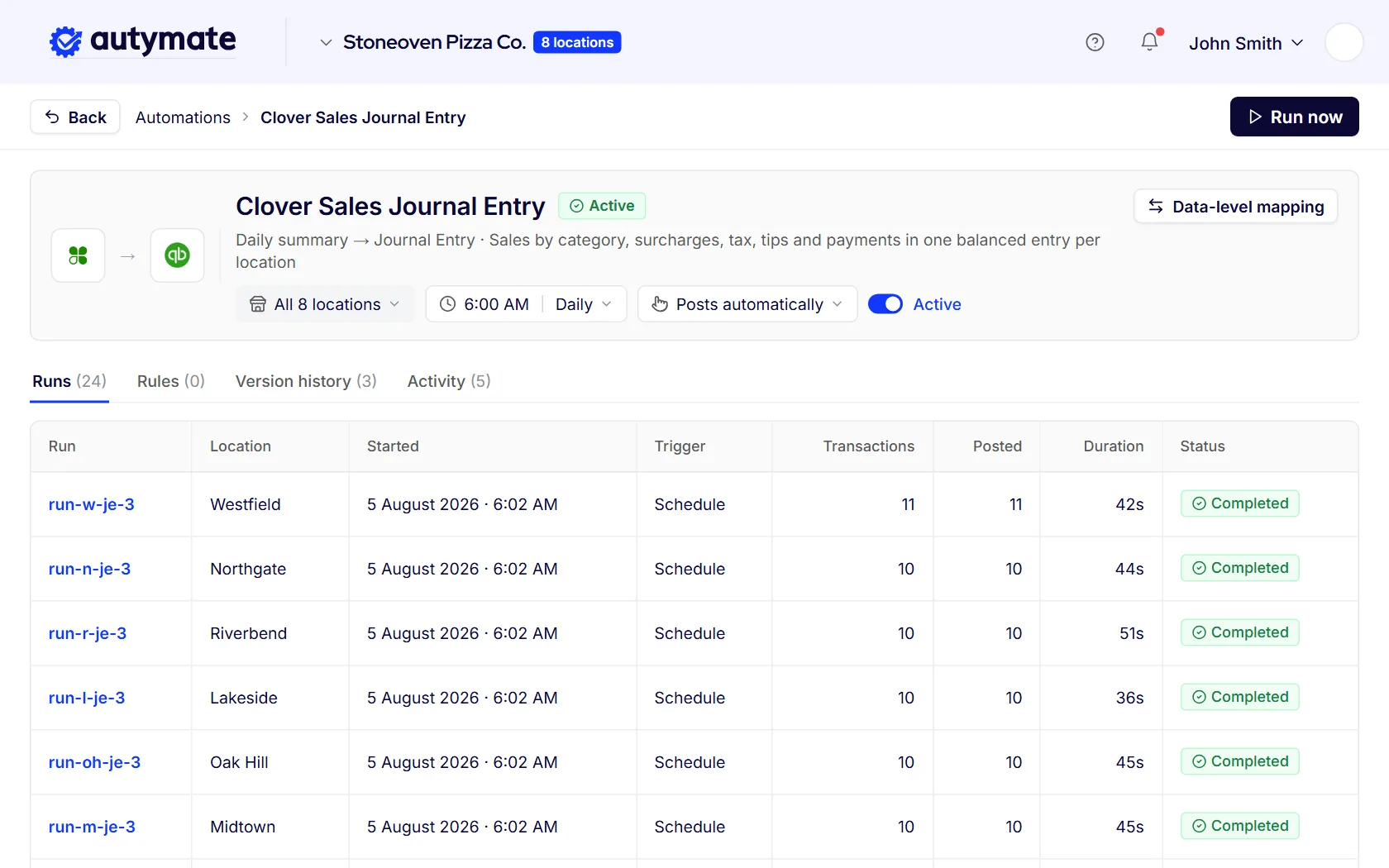
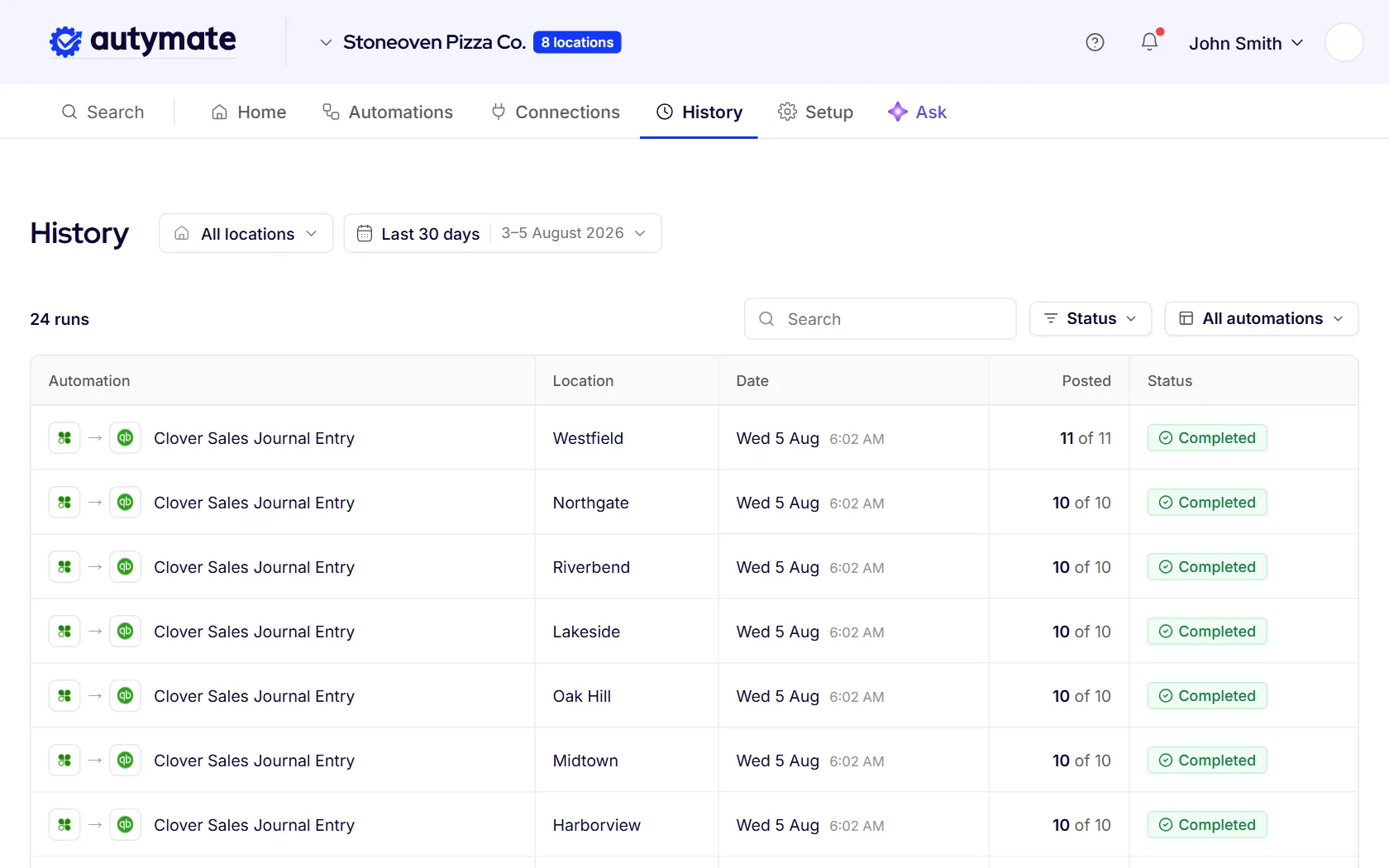
A merchant ID eachA company file eachEach pizzeria's merchant account, its last run and what reached QuickBooks Online sit on one list, and the store needing attention rises to the top.
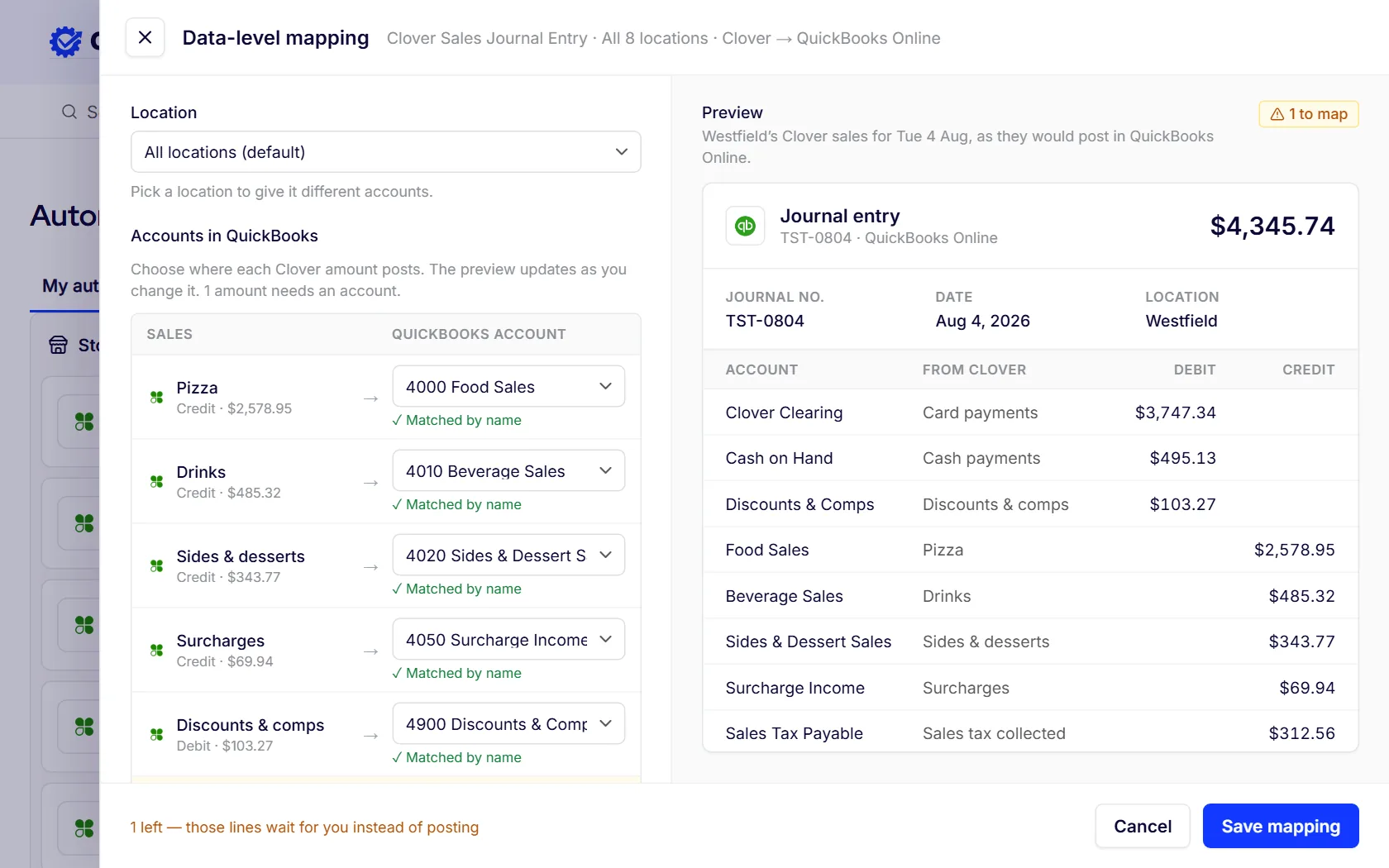
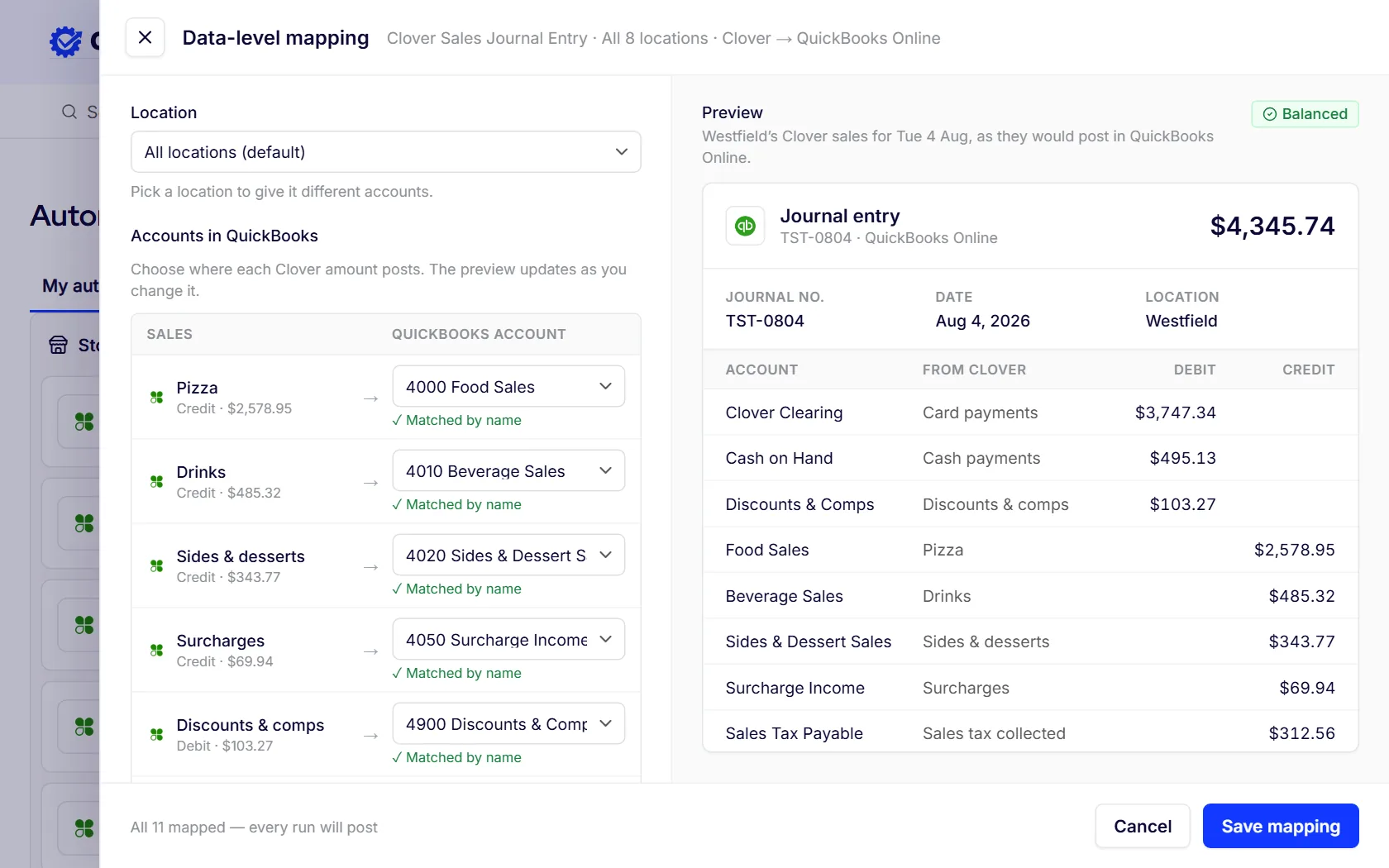
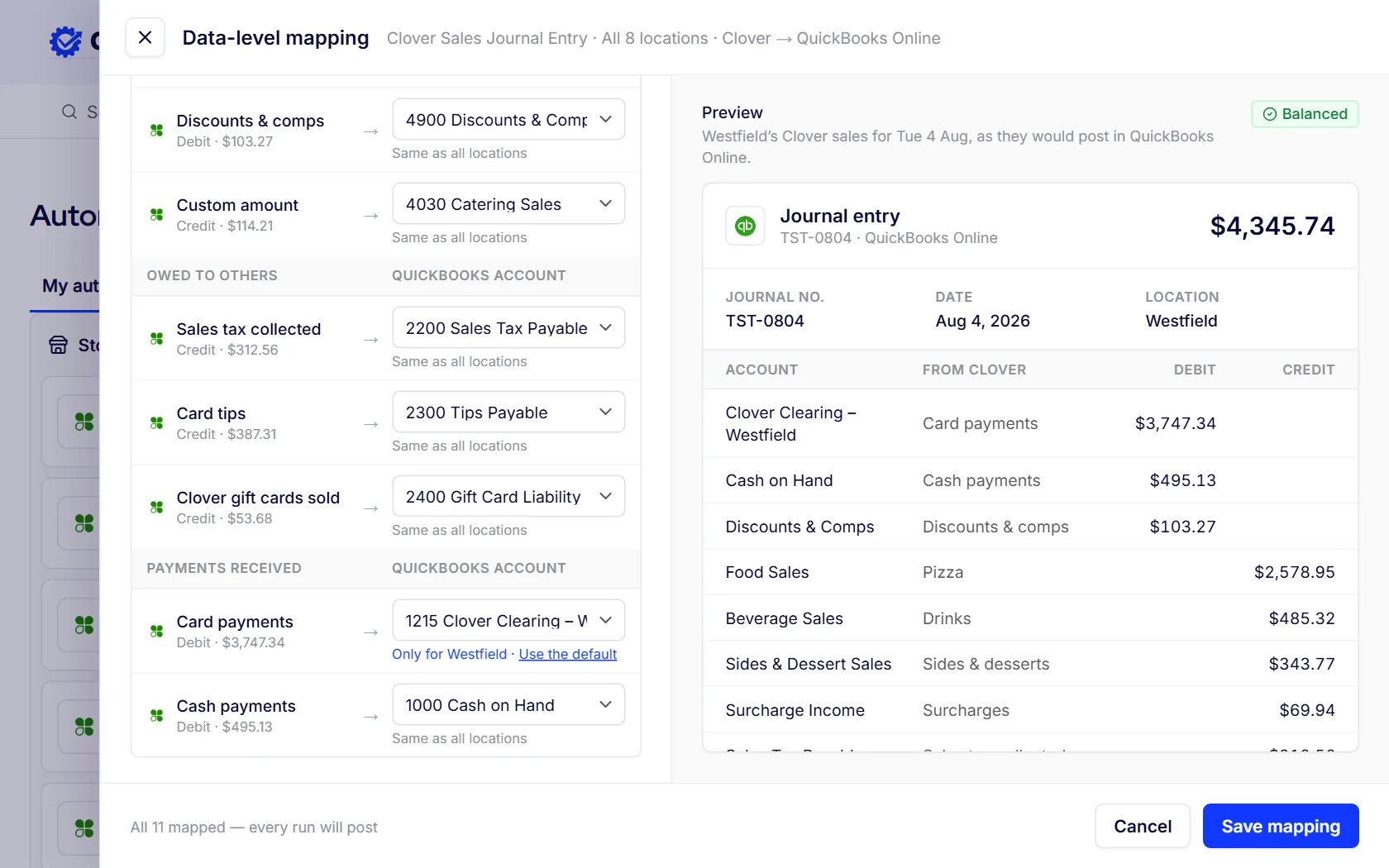
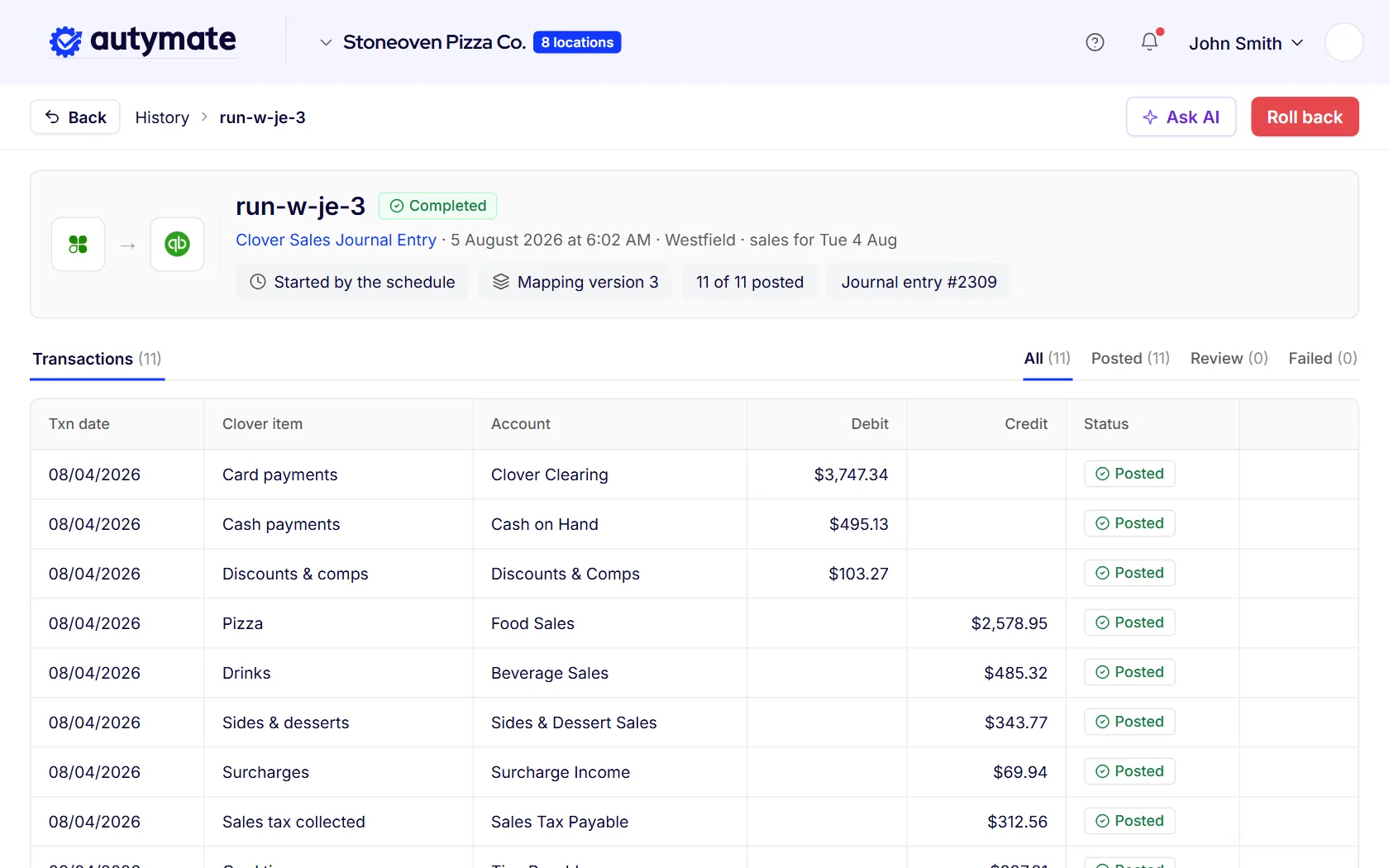
Every Clover amount, from pizza to surcharges, points at an account your accountant chose, with the entry previewed live. A store with its own bank keeps its own clearing account.
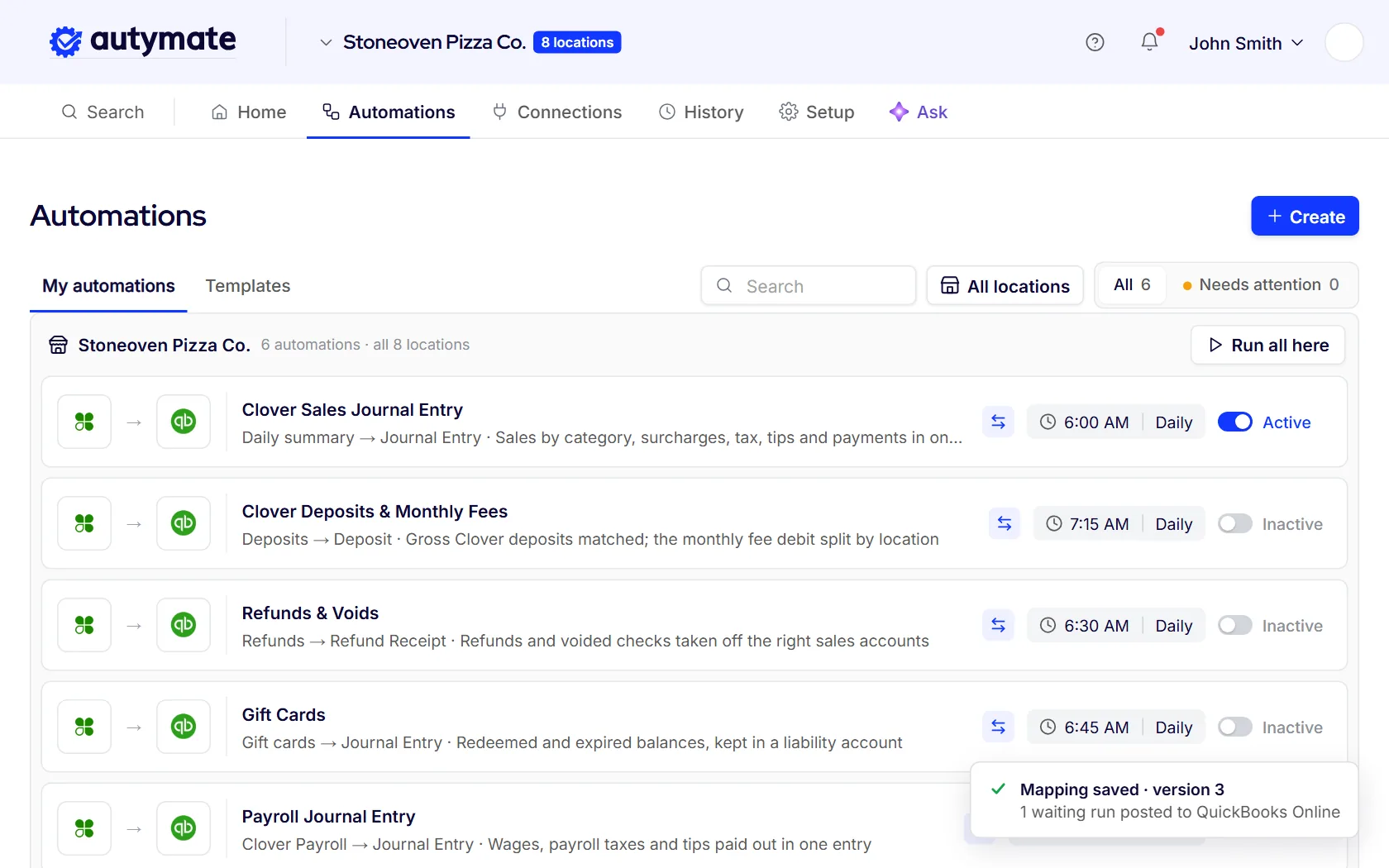
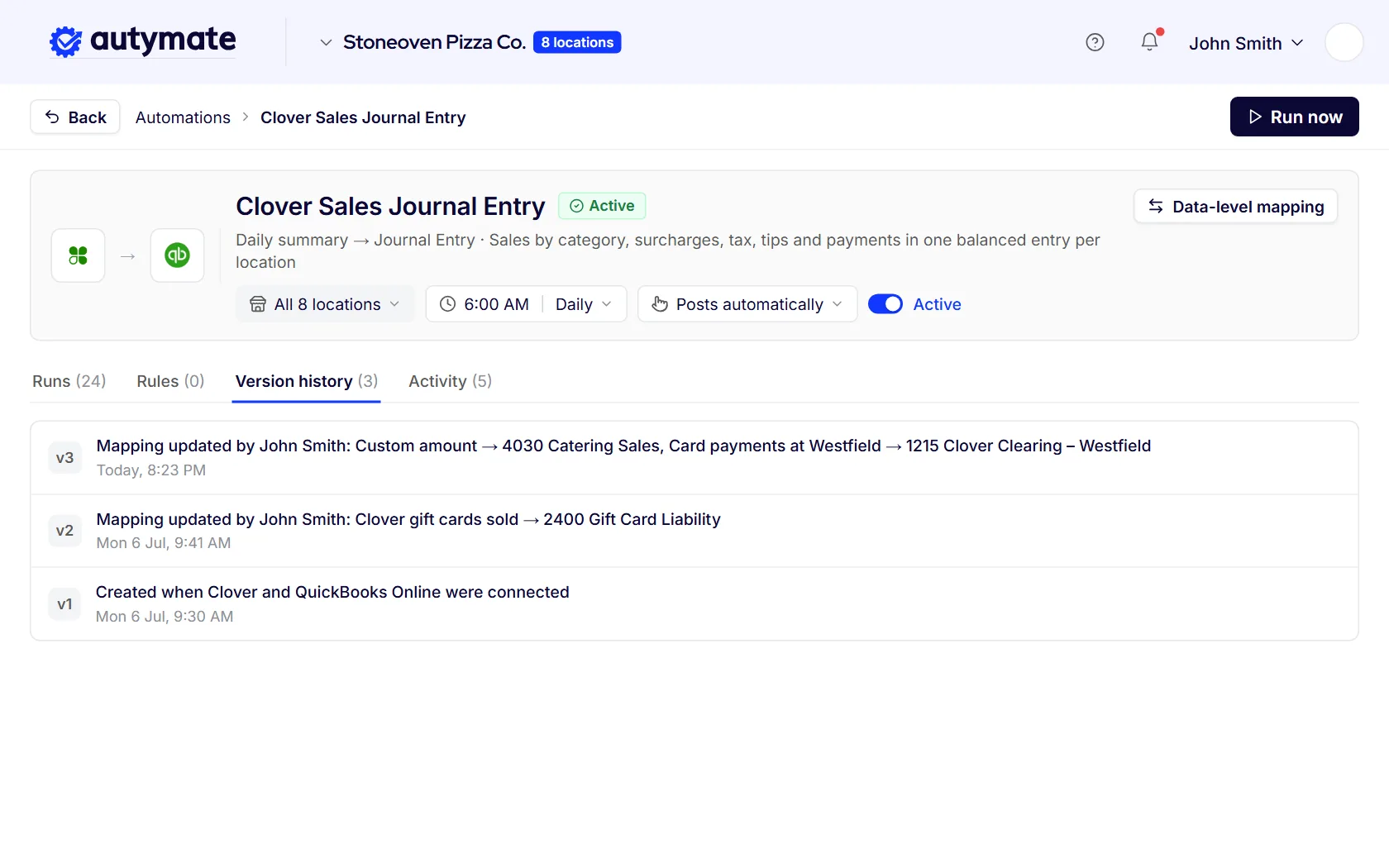
Pick the time and how often the Clover sales automation runs: daily, weekly or monthly, for every store. Runs are listed store by store, and every change to the account picks is dated and signed.
A custom amount with no category stops that store's entry. Autymate proposes the nearest account, someone confirms it, and later days follow the same rule.
Each store's runs and posted entries stay searchable, so your accountant can follow a QuickBooks figure back to the Clover day that produced it.
Put Clover to QuickBooks inside the portal your franchisees already use, carrying your name and powered by Autymate. Each owner turns it on for their stores, and the brand decides the price.
Add-ons
Powered by AutymateAccountingOnWhat the brand earns
$6,250 a month
$75,000 a year
Yours
Autymate's
Franchise accounting standardization

Macromatix POS → QuickBooks Desktop
Each result is the named customer's own figure and isn't typical. These customers don't use Clover. Reviews appear exactly as posted, one person's view each.
“Rubab Zaman helped me set up my 2 stores in the Autymate software for the first time. The process went smoothly.”
ViviGoenawanQuickBooks App Store“Mariam was very helpful and professional she helped me out with all our stores”
Winter Street DevelopersGoogle“Two stores to convert and both completed on the same date. All questions answered.”
JoAnnPeakQuickBooks App Store“Very fast service and easily resolved my issue related to data transfer from POS to QB.”
dhananjaysinghQuickBooks App StoreQuickBooks App Store4.7out of 5 from 700 ratings
Capterra5.0out of 5 from 96 reviews
Google4.8out of 5 from 415 reviews
Clover's Accounting Sync sends daily sales to QuickBooks Online. Autymate runs everything around it, from one store up.
| Clover Accounting Sync | Autymate | |
|---|---|---|
| For every Clover business, even one store | ||
| Price | Clover Accounting SyncNo additional cost, on a Clover plan that includes it | AutymateQuoted for your setup after one call |
| What lands in QuickBooks | Clover Accounting SyncDaily Clover sales, with tax and tender mapping | AutymateOne entry per day by Clover category, or every sale, at the detail your accountant sets |
| Monthly processing fees | Clover Accounting SyncNot covered in Clover's help article | AutymatePosted once and split by location |
| New or unmatched items | Clover Accounting SyncNot covered in Clover's help article | AutymateHeld with the reason until your team picks the account |
| Who watches it | Clover Accounting SyncYou | AutymateAutymate's team monitors every run |
| As you add locations | ||
| Several merchant accounts | Clover Accounting SyncNot covered in Clover's help article | AutymateSeveral, into one company or each franchisee's own |
| QuickBooks Desktop | Clover Accounting SyncQuickBooks Online only | AutymateOnline, Desktop or both |
Accounting Sync is a sound start when your Clover plan includes it and one store's daily sales are all you need in QuickBooks Online. Autymate fits when fees arrive as one monthly debit, when several merchant accounts need one set of books, when you're on QuickBooks Desktop, or when nobody has time to watch the sync. App Market sync apps sit in between, priced per location.
Clover facts from Clover's Help Center article “Connect QuickBooks with Accounting Sync”, read November 2026.
See how it would run for your stores.Talk to Us (opens in a new tab)
Autymate links each Clover merchant ID and the QuickBooks Online file it belongs in, gives every category, tender, tip, surcharge and fee an account your accountant signed off on, then shows a test day before going live. Without Autymate, Clover's own Accounting Sync connects to QuickBooks Online if your Clover plan includes it, and App Market sync apps are the paid alternative.
Yes. As of November 2026, Clover's Help Center describes Accounting Sync: a daily sync of Clover sales to QuickBooks Online, with tax and tender mapping, at no additional cost on a Clover service plan that includes it. It works with QuickBooks Online only. Autymate is the managed option around it: monthly fees split by store, several merchant accounts, QuickBooks Desktop and every run watched.
Clover's Accounting Sync comes at no extra cost on Clover plans that include it, as of November 2026, and works with QuickBooks Online. Sync apps from the Clover App Market charge each month for every store. Autymate is a paid service quoted after one call; the price follows your store count, the QuickBooks files involved and how your chart of accounts is built.
Yes. Autymate posts Clover days to QuickBooks Desktop too, and a group can run some stores on Desktop and others on QuickBooks Online at the same time. Clover's own Accounting Sync is Online-only, so Desktop users otherwise pay for a sync app or key each day in from Clover's reports.
Most Clover groups book one journal entry per store per day. Category sales go to income accounts; sales tax and card tips to liabilities; surcharges and service charges to their own income lines; discounts and refunds to contra accounts; card payments to Clover clearing and cash to cash clearing. Autymate posts the version your accountant chooses.
| Account | Debit | Credit |
|---|---|---|
| Clover clearing (card payments) | 3,423.20 | |
| Cash clearing | 410.00 | |
| Discounts and comps | 85.00 | |
| Refunds and returns | 34.00 | |
| Food sales | 2,840.00 | |
| Beverage sales | 420.00 | |
| Sales tax payable | 262.40 | |
| Tips payable (card tips) | 318.60 | |
| Surcharge income | 61.20 | |
| Gift card liability (cards sold) | 50.00 | |
| Total | 3,952.20 | 3,952.20 |
Monday's deposit of $3,423.20 clears Clover clearing to $0.00. That month's processing fees leave in one debit next month and are split by location.
Three reasons. Many Clover merchants are billed processing fees once a month, so each deposit arrives gross and the fees leave in one later debit. A deposit holds only card payments, never cash. And Clover closes the business day at 1:00 a.m. by default, so a late sale can land on the next day. Autymate clears each deposit against its own day.
Post the monthly fee debit to merchant fee expense when it leaves the bank, not as a cut from each deposit. With several locations, split it by each store's card volume so every location's profit and loss carries its own fees. Autymate posts the debit once, splits it by location and leaves each deposit matched to its gross card day.
Usually the same sale was recorded twice: once by a sync and again when the bank deposit was added as income from the bank feed. The fix is to match each deposit to the clearing account the sync posted to, not to add it again. Autymate posts each Clover day once and clears the deposit against it, so income can't be counted twice.
Map each Clover category to its own income account, so pizzas, drinks and catering show separately on the profit and loss. Items sold without a category, such as custom amounts, need a rule too, or they fall into a generic line. Autymate maps every category your accountant chooses and holds anything uncategorized until your team picks its account.
For eight Clover stores in one company file you'll need QuickBooks Online Plus or Advanced, the plans with location and class tracking, as of November 2026. Plus allows 40 locations and classes combined; Advanced has no limit. A location tags a whole entry and a class can vary by line, so a pizzeria per location is the usual pick. A separately owned store needs its own file.
Yes. Autymate links each merchant ID once and files every store under its own QuickBooks Online location or class inside one company file, all on a single mapping. It suits a group that opened a Clover account per store but keeps one set of books, and the next store slots in on the same mapping.
Every franchisee's Clover merchant ID feeds that owner's own QuickBooks company file, so no franchisee's sales reach another's books. All files share the brand's mapping, with signed-off exceptions where an owner's chart differs, and the franchisor watches every store's posting status from one Autymate screen.
A surcharge is income, kept apart from sales so sales show what was sold: Clover calculates it as a percentage of the post-tax total, usually 3.00% in the US. A service charge is income too, on its own account. Card tips are owed to staff, so they wait in tips payable until payroll pays them out. Autymate posts all three to the accounts your accountant sets.
Selling a Clover gift card creates a debt to the customer, so it posts to gift card liability, not sales, until the card is used. Refunds post to their own account, including refunds of an earlier day's sale. Autymate releases the gift card balance when it's redeemed and keeps refunds out of the day's sales.
Usually the sync lost its sign-in to Clover or QuickBooks, or one merchant ID never made it into the setup. In Autymate, a store that sends nothing shows up as a gap and posts once its day arrives, a sale with no account waits with the reason, and Autymate's team checks every run.
Choose the last business day the old sync will post, with your accountant. Turn Accounting Sync or the app off after that day, and Autymate starts on the following one. Before going live, confirm the date of the old sync's final entry. Autymate never posts a day twice, and the agreed date keeps the two systems from overlapping.
Yes. Autymate can sit inside a franchise portal as the brand's own Clover to QuickBooks service, marked “powered by Autymate.” Owners link their Clover merchant account and QuickBooks file from the portal they already log in to, and see what posted there. Autymate sets the brand mapping, brings each owner on and runs it day to day.
Yes, when it runs as a white-label service in the franchisor's portal. The brand picks the model: a monthly charge per pizzeria, a slice of the existing technology fee, or no charge at all. Charging makes bookkeeping sync a source of income for the franchisor, while Autymate builds it, supports owners and keeps it current under the brand's name.
Nearly every Clover business does. Clover rings up orders, takes cards and reports what sold. QuickBooks holds everything else an accountant needs: supplier bills, payroll, loans, sales tax owed and the year-end statements. One doesn't replace the other, so Autymate moves each Clover day into QuickBooks for you.
Bring your store count and your QuickBooks setup; leave with a plan and a price.
A Single Pizzeria
Whether Accounting Sync is enough, what Autymate adds on top, and the cost.
A Group of Stores
Locations or separate company files, and the one mapping every store shares.
A Franchise System
Owner by owner rollout, and how the brand could offer it under its own name.
Intuit Gold PartnerSOC 2 Type II1,000+ Five-Star ReviewsClover and Intuit sources read November 2026.
Figures are sample figures. The worked entry shows common accounting practice for a pizzeria; your accountant decides your treatment. Whether fees are billed daily or monthly depends on each merchant's processing setup. Screens show Autymate on a sample workspace.