QuickBooks Desktop Integrations

Keep QuickBooks Desktop connected to the systems where your data starts, on your own machines or cloud-hosted.

Where the integration runs

Your workstationYour office serverA cloud-hosted desktop
Autymate connection serviceRunningConnected
QuickBooks DesktopOpens the company file
Company file (.QBW)Your books

Outside the edge

  • POS
  • Files
  • Databases
  • Custom apps

Autymate builds and runs QuickBooks Desktop integrations for businesses whose books live in a Desktop company file, on a local workstation, an office server or a hosted desktop. Data from POS systems, files, databases, operational platforms and custom applications reaches QuickBooks without anyone retyping it.

What Is a QuickBooks Desktop Integration?

A repeatable path from the systems where your data starts into your Desktop company file.

A QuickBooks Desktop integration connects your Desktop company file to another business system or structured data source, so approved accounting data moves through a repeatable workflow instead of being exported, reformatted and re-entered by hand. Desktop can run on a local machine, a server or a hosted desktop, and it remains a company-file system either way. That is why the integration runs where the file lives.

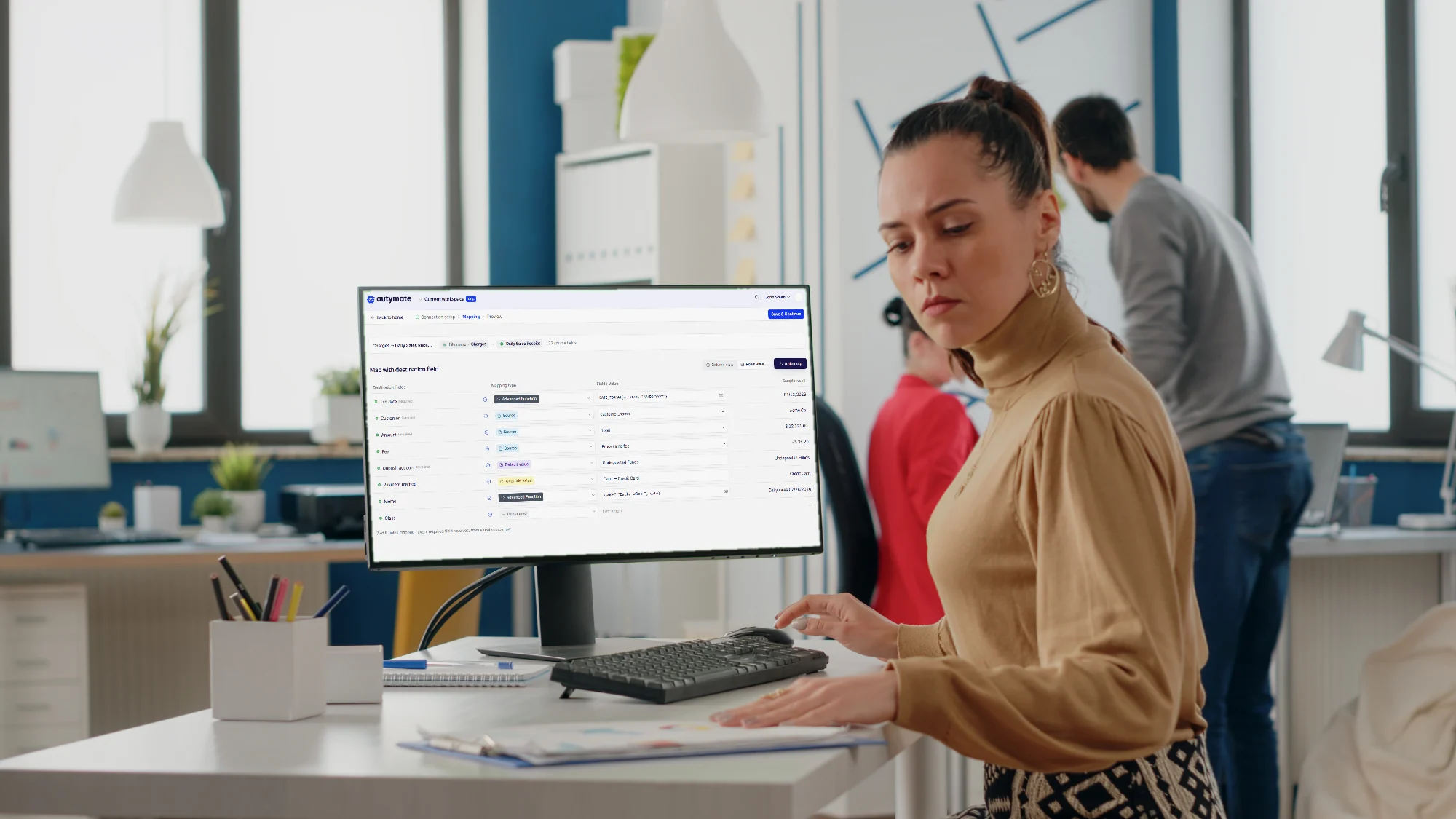
An accountant at a desktop workstation in a bright office; the monitor shows the Autymate mapping screen for a Daily Sales Receipt.
Company file
The .QBW file that holds your books.
Connection service
The Autymate connection service that runs beside it.
Workflow
The mappings and rules that turn source activity into QuickBooks records.

QuickBooks Desktop Can Be the Right System and Still Create Manual Work

The friction sits between QuickBooks Desktop and the systems where sales, payments and customer data start.

  • Your business data starts outside QuickBooks

    Sales, payments, customers and operational activity usually start in a POS, a database, a file export or a business application.

    With Autymatea repeatable path from each source into the right company file.

  • Spreadsheet preparation becomes recurring work

    Teams export reports, rename columns, fix formats, split data and rebuild the same import file every day or every accounting period.

    With Autymatethe preparation, mapping and transformation rules move into the workflow.

  • The same transaction can be posted differently

    Without standard rules, account selection, transaction type and location handling vary by person or by location.

    With Autymateapproved accounting mappings apply the same way before anything is posted.

  • Desktop depends on where the file lives

    The integration has to reach the correct company file wherever QuickBooks Desktop runs: a local computer, a server, a terminal environment or a hosting provider. A wrong path, a stopped service, a blocked application or a hosting restriction can interrupt processing.

    With Autymateconnection status, service status, file configuration, hosting requirements and process history stay visible.

Hands typing on a laptop while holding a printed report, retyping figures by hand.

Connect the Company File Once. Standardize the Workflow Around It.

A reliable Desktop integration needs both accounting logic and a connection that knows where QuickBooks runs.

  1. 1Connect

    Company-file routing

    The Autymate connection service is installed where the company file is located or accessible, and each workflow is tied to the right company file and location. On a hosted desktop, the provider and plan are confirmed first.

    Source intake

    Approved data arrives from POS systems, structured files, databases, operational applications, APIs or other available interfaces.

  2. 2Map

    Field and account mapping

    Source values are translated into the accounts, transaction types, locations, customers, items and other QuickBooks fields the workflow needs.

    Transformation and business rules

    Dates, names, identifiers, amounts, categories and payment methods are normalized before anything is posted.

  3. 3Validate

    Checks before processing

    Required values, record structure, mappings and destination rules are checked before they can become errors later.

    Duplicate safeguards

    The same record is not posted twice.

  4. 4Process and monitor

    Transaction processing

    The workflow creates the QuickBooks records it defines, such as sales receipts, journal entries, invoices, payments or credit memos.

    Connection and process visibility

    Service status, connection status and process history stay available for review.

The exact integration depends on the source system, the company-file environment, your accounting rules and the transaction types you need. Around every QuickBooks Desktop accounting integration, Autymate handles four jobs.

QuickBooks Desktop and QuickBooks Online Need Different Connection Architectures

The accounting work can look alike. The way an integration reaches each product does not.

How an integration reaches QuickBooks Online compared with QuickBooks Desktop
QuickBooks Online
IntegrationOnline application
No boundary to draw. Company-file path: none to manage.
QuickBooks Desktop
Local machine, server or host
Service
QuickBooks Desktop
.QBW

Through a service running where the company file is located or accessible.

Where it runsA cloud-based accounting environmentA company file on a local machine, a server or a supported hosting environment
How an integration connectsThrough the online applicationThrough a service running where the company file is located or accessible
Company-file pathNone to manageThe correct company file, path and permissions matter from the first connection
The cloud optionIt is the cloud productIntuit offers QuickBooks Desktop Enterprise with cloud hosting, provided by Rightworks. It is still Desktop
What keeps it reliableThe connection through the online applicationService status, connection status, hosting policy and file configuration

Cloud-hosted QuickBooks Desktop is still QuickBooks Desktop. It is not QuickBooks Online.

Choosing between the two? See QuickBooks Online integrations or moving from Desktop to Online.

Integrate QuickBooks Desktop Whether It Runs Locally or in the Cloud

QuickBooks Desktop cloud hosting changes where Desktop runs and how people reach it, not what the integration needs.

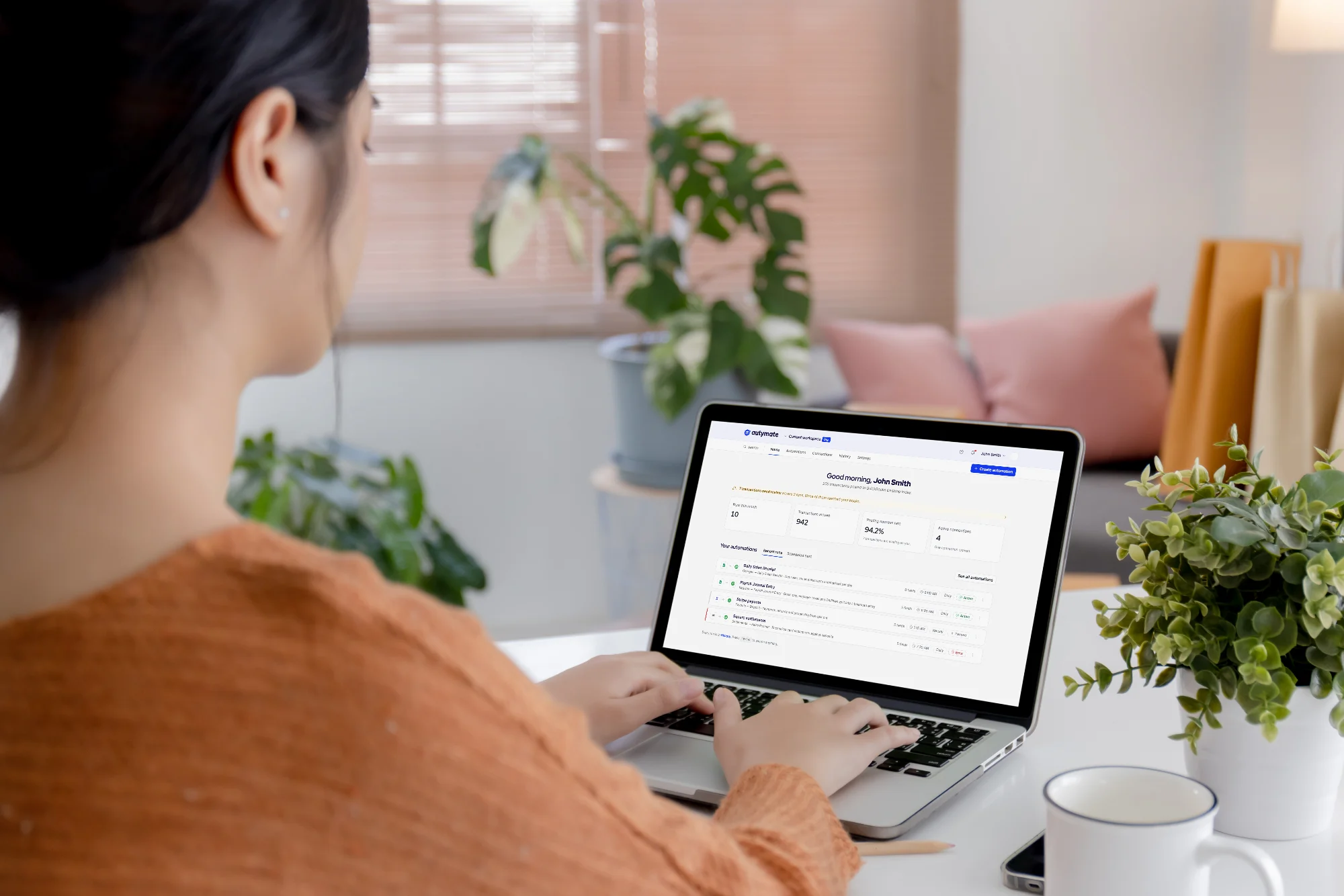
A finance worker at a home desk; the laptop shows the Autymate dashboard, with the day's transactions posted to QuickBooks Desktop.

Can QuickBooks Desktop Run in the Cloud?

Yes. Intuit sells QuickBooks Desktop Enterprise with cloud hosting, provided by Rightworks, as an annual subscription billed monthly, and it lists 21 providers authorized to host supported Desktop products. Hosted QuickBooks Desktop is still Desktop: QuickBooks and the company file sit on a hosted server instead of your own. So the integration still has to run where that file lives, with the host's permission.

Three places a company file can live
A local workstationAn office server or network driveA cloud-hosted desktop
Where the connection service goesOn that computerWhere the company file is located or accessible, which matters most when several people open itOn the hosted server, where the provider allows it
What to confirm firstThe QuickBooks version and the user who opens the fileThe file path, and that the service can reach itThat the host and plan permit the service, file access, permissions and network access

QuickBooks Desktop Enterprise Hosting: The Plan Decides Which Apps Can Run

Intuit QuickBooks Desktop hosting is provided by Rightworks, and each plan allows a different set of third-party apps.

Core
Bill.com, and any app that uses the QuickBooks Web Connector
Classic
Everything in Core, plus five named billing, expense and reporting apps
Deluxe
Everything in Classic, plus a choice from more than 200 apps

Intuit notes that third-party apps on hosted Desktop incur costs and are only usable inside the hosted environment.

Other QuickBooks Desktop Hosting Providers

Intuit lists providers such as Rightworks, Ace Cloud Hosting, Apps4Rent, Summit Hosting and Swizznet as authorized to host supported QuickBooks Desktop products, and Rightworks QuickBooks hosting can also be bought directly from Rightworks. Authorization is not an endorsement: Intuit states it does not endorse, certify or guarantee any host’s services.

Cloud-Hosted QuickBooks Desktop Integration With Autymate

Autymate scopes a cloud-hosted QuickBooks Desktop integration when the host permits the Autymate service, the correct company file is accessible, and the QuickBooks and Windows permissions are available. Every host and plan sets its own rules for apps, services, permissions and network access, so compatibility is confirmed in discovery, before anything is built.

Translate Source-System Activity Into the QuickBooks Structure Your Team Uses

The source system rarely uses the same account names, payment categories, locations, transaction types or IDs as QuickBooks Desktop.

How values from a source system are translated into QuickBooks Desktop
In the source systemIn QuickBooks Desktop
POS location = Store 104The company file or class set up for Store 104
Payment type = VisaCard clearing account = Visa Clearing
Sales category = DeliveryIncome account = Delivery Sales
A refundA credit memo or refund, as your rules define
Source customer ID = C-10492QuickBooks customer, external reference C-10492

Underlined: the value that carries across the translation.

What a mapping covers:AccountsCompany filesLocationsCustomersItemsPayment methodsTransaction typesExternal IDsValidation rulesDefaultsExceptions

QuickBooks Desktop Integration for the Workflows Businesses Repeat Most

We scope each workflow around the source access that actually exists and the accounting your company file requires.

Where the Data Starts

  • POS to QuickBooks Desktop. Sales, payments and refunds become mapped accounting entries instead of exported reports rebuilt by hand.

  • Multi-location accounting. One set of mappings across locations, with each workflow tied to the right company file.

  • Files to QuickBooks Desktop. Recurring CSV or Excel exports become a defined workflow with mapping, validation and transaction rules.

  • Databases to QuickBooks Desktop. Approved structured records move without rebuilding the same import each period.

  • Custom and operational applications. Proprietary or niche systems, when no off-the-shelf integration matches the accounting process.

  • Hosted QuickBooks Desktop. A company file in a supported cloud-hosted environment, still fed automatically from your other systems.

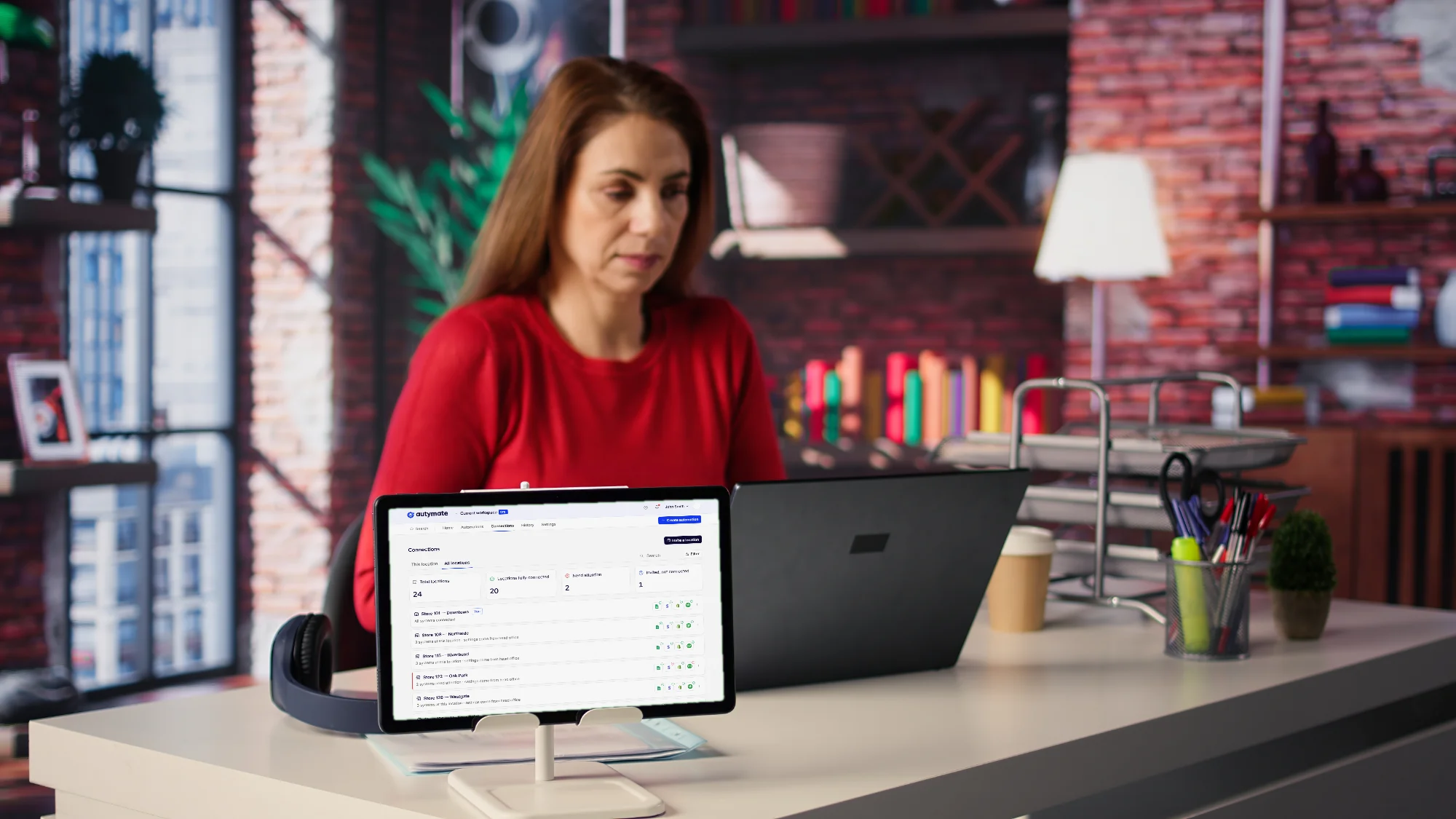
A business owner at her desk; a tablet on a stand shows the Autymate connections roster for 24 locations, each with its QuickBooks connection.

Built for Teams That Keep QuickBooks Desktop Without Keeping the Manual Work

  • Franchise and multi-location operators: repeated POS-to-accounting work drops, with every location's file configuration kept in order.

  • Accounting teams: less rekeying of information that already exists, more time reviewing the result.

  • Operations teams: operational systems stay connected to accounting without a manual handoff every period.

  • Software companies: a Desktop integration for customers a cloud-only integration cannot reach.

  • IT and implementation teams: a documented connection, mapping, testing and support model instead of a brittle one-off import.

  • Remote and hybrid finance teams: remote access through hosted Desktop, with the same integration rules for every user.

Available sources, fields, transaction types and processing methods depend on the integration scope, your QuickBooks configuration and permissions, and what the connected system can provide.

From Repetitive QuickBooks Entry to a Repeatable Desktop Integration Workflow

Manual entry repeats the same steps every period. A managed workflow defines them once.

Before

Every period

  1. 1Export data from the operational system
  2. 2Open and repair a spreadsheet
  3. 3Recheck account and location mappings
  4. 4Enter or import transactions by hand
  5. 5Investigate generic errors after the fact
  6. 6Repeat the same process next periodBack to step 1
  7. 7Find connection or file-path problems only when processing stops

With a managed integration

Defined once

  1. The source and the QuickBooks Desktop environment are defined
  2. The company file and each location are explicitly associated
  3. Mappings and transformations are documented once
  4. Records are validated before approved processing
  5. The integration follows repeatable accounting rules
  6. Service and connection status stay visible
  7. Process history gives a clear path for review and support

Proven on QuickBooks Desktop

A 10-store franchise owner, a 2,500-store network and a software platform, each with Desktop in the workflow.

Kidd’s Restaurants: 40 Hours a Week Back From Retyping POS Reports

Kidd’s Restaurants owns 10 Jimmy John’s stores in Highland, Illinois. It tracked daily sales in Macromatix POS and kept its books in QuickBooks Desktop. Every week, someone exported the sales summary reports and retyped them into QuickBooks. It took a full-time administrator, and errors surfaced only when the weekly reports were reviewed.

Autymate mapped the Macromatix reports to Kidd’s accounts using the business logic their team provided, and built a weekly pipeline that reads the sales summaries and imports new sales receipts into QuickBooks Desktop.

Jimmy John's

“Autymate has saved our business so much time and money and customized our solution to match our specific needs perfectly. It has been a joy working with them! Now we know the data is accurate in QuickBooks for all our locations so we can make better decisions as we continue to grow.”

Stormi Kidd, Jimmy John’s Multi-Unit Franchise Owner

Read the Kidd’s Restaurants case study

The published arithmetic

Kidd’s Restaurants: the case study’s published arithmetic
Before
40hours a week
× 52weeks
× $17an hour
$35,360a year
After
10stores
× $30per store
× 12months
$3,600a year
Saved
$31,760a year

Figures are from Kidd’s Restaurants’ published case study and reflect one customer’s results. Your results will depend on your volume, systems and processes.

The UPS Store: Online and Desktop Stores on One Daily Workflow

Across 2,500 The UPS Store locations, Autymate runs a daily workflow that takes Microsoft Dynamics POS data into each store’s own QuickBooks, whether that store runs QuickBooks Online or QuickBooks Desktop. It creates journal entries, invoices, payments and credit memos according to each store’s configuration, with safeguards against duplicate entries.

Read The UPS Store case study

A National Software Platform: Its Own Branded Desktop Integration

A national customer-engagement software platform had Autymate build a white-labeled QuickBooks Desktop integration for its customers: a Windows background service, carrying the platform’s brand, that runs beside each customer’s company file.

From Company-File Setup to a Monitored Integration in Six Steps

Six steps from confirming where the company file lives to a monitored, running workflow.

  1. 01

    Confirm the QuickBooks Environment

    Identify the QuickBooks Desktop version, the company file and its location, whether it runs locally, on a server or hosted, the hosting provider and plan when there is one, the locations involved and the users in the workflow.

  2. 02

    Confirm Installation and Hosting Access

    Install the Autymate connection service where the company file is located or accessible. On a hosted desktop, confirm that the provider permits the service, the network communication and the user permissions before configuration.

  3. 03

    Open the Correct Company File

    Open QuickBooks Desktop, select the correct company file, confirm the company and file path, and use QuickBooks Admin access for the initial connection.

  4. 04

    Configure the Integration Rules

    Define the source data, transaction types, account mappings, location logic, transformation rules and exception handling the workflow requires.

  5. 05

    Establish and Test the Connection

    Set up the QuickBooks connection, keep QuickBooks open during initial setup, run a controlled test and review the accounting result.

  6. 06RunningConnected

    Verify, Run and Monitor

    Confirm the service shows Running and the connection shows Connected, then use process history and connection management to review ongoing activity.

Decide Who Owns the Accounting Rules and Who Owns the Integration Workflow

Your team owns the accounting rules and the access. Autymate owns the workflow built on them.

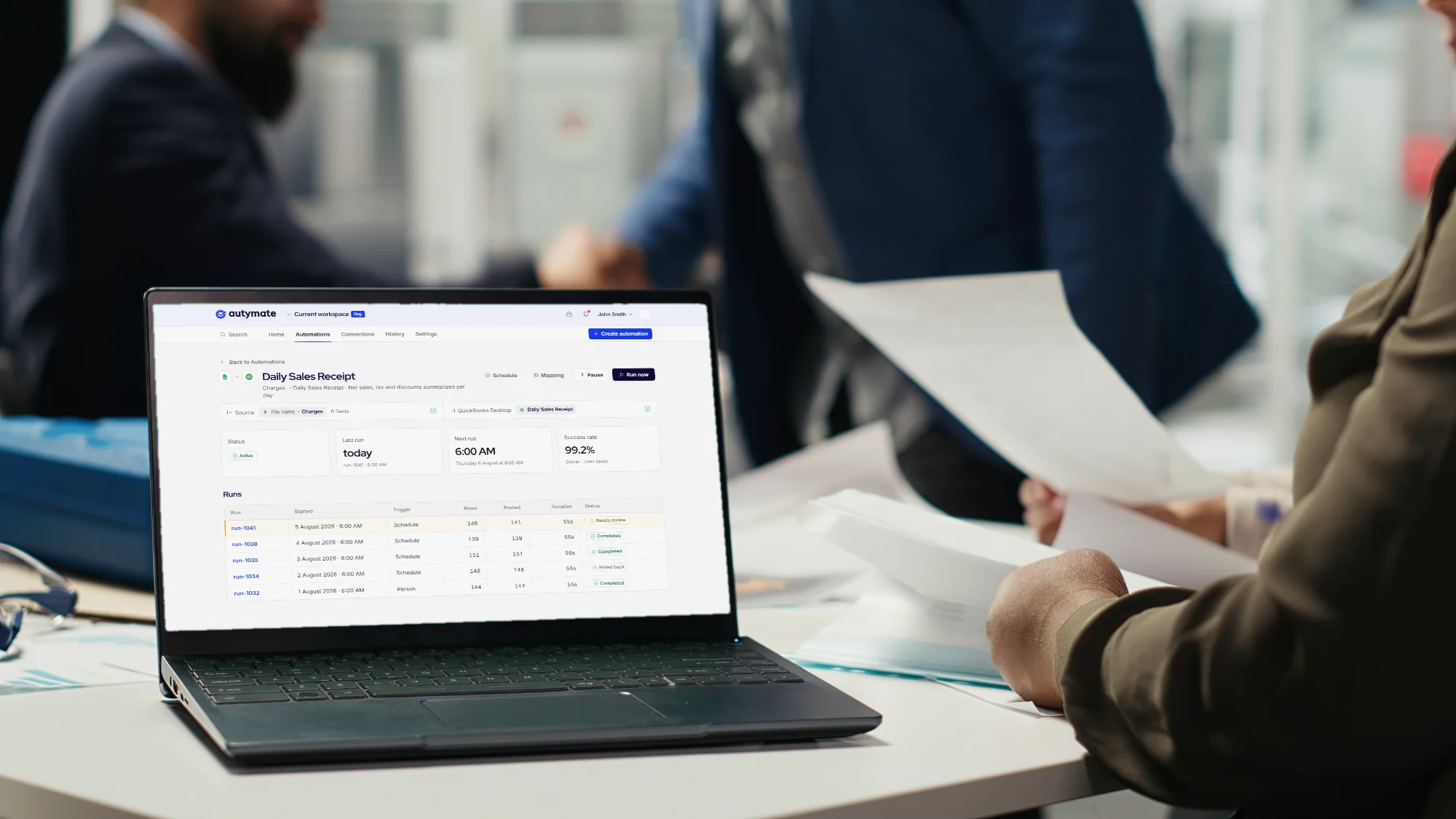
Two colleagues passing papers across a desk beside a laptop that shows an Autymate Daily Sales Receipt automation with QuickBooks Desktop as its destination.
Who owns each responsibility: your team or Autymate
ResponsibilityYour teamAutymate
SetupQuickBooks company-file accessProvide or approve accessConnection setup and environment guidance
QuickBooks Admin access for initial setupProvide an authorized Admin userUse it only for the required connection setup
Source-system accessProvide or approve accessConfigure approved source intake
RulesAccounting and business rulesApprove mappings and expected resultsTranslate the rules into the integration workflow
Test result reviewValidate the accounting outcomeRun tests and resolve technical exceptions
RunningOngoing connection reviewCoordinate environment changesProvide connection management and a support path
Hosting provider access and app policyProvide or approve the hosting account and plan, and coordinate with the providerConfirm deployment requirements and coordinate technical validation

Know Whether the QuickBooks Desktop Connection Is Ready to Process

Desktop integrations are easier to support when connection state and process history are visible, not hidden.

Hands at a keyboard in a dim office; the monitor shows the Autymate dashboard and the laptop shows the run history of a Daily Sales Receipt automation.

What you can see

  • Service status: whether the Autymate connection service is running.

  • Connection status: whether it is connected to the selected company file.

  • Process history: each QuickBooks process with its name, file name, status and available actions.

  • The right file and location: the selected location, company and file path stay aligned when you run several company files.

  • Refresh and update checks: refresh the connection state and see whether a newer Autymate version is available.

  • A support path: connection management and support options when the service or the file connection cannot be established.

When Something in the Environment Changes

Your environment
Autymate connection service
3
QuickBooks Desktop
2
Company file
1
New file
5
6
Sources, outside the edge4
Situations in a QuickBooks Desktop environment, how each is handled and who is involved
SituationHow it is handledWho is involved
1The company file moves, or the server changesThe file path is re-confirmed and the connection re-establishedYour IT and Autymate
2QuickBooks Desktop is upgradedThe new version is checked against what the service supports before you rely on itYou and Autymate
3A record fails validationIt is reported with its error context, corrected and reprocessedAutymate for the technical fix, your team for the accounting call
4A source system sends its data lateThe run processes it when it arrivesAutymate
5A new location or company file is addedIt is connected and given the approved mappingsAutymate
6The hosting plan or policy changesThe deployment requirements are re-confirmed with the hostYou, the host and Autymate

Who to call for what. Know whether an issue belongs to QuickBooks, the hosting provider, the source application or the integration workflow, so the right support path is engaged quickly. Agree in advance when to involve Intuit, Rightworks or another host, your IT, and Autymate.

What any QuickBooks Desktop integration partner should be able to answer

When a Manual Import Is Enough, and When a Managed Integration Adds More

Not every Desktop workflow needs QuickBooks Desktop automation. Here is where the line usually falls.

When a manual import may be enough, and when a managed integration adds more
A manual import may be enough whenA managed integration adds more when
How oftenThe data volume is small and infrequentThe same accounting workflow repeats every day, week or month
Data shapeThe source already matches a reliable QuickBooks import formatSource data needs mapping, transformation or validation
RulesMappings are simple and rarely changeSeveral stores, locations or company files need consistent rules
CheckingOne person can validate the full result by handManual entry creates delays, inconsistency or reconciliation work
Running itThere is no need for recurring automation or monitoringYou need a supported Desktop connection, process history and a defined support path

Leaving Desktop instead? See data migration services

QuickBooks Desktop Integration FAQs

Our setup documentation lists QuickBooks Desktop 2020 or newer.

Intuit's own support is narrower: Desktop 2023 lost Intuit support after May 31, 2026, including live help and services like bank feeds. We recommend running a version Intuit still supports, and we confirm the exact version and edition during scoping, before any build.

On the computer or server where the company file is located or accessible.

On a network drive, that is not necessarily the computer people sit at, which is why the file path is confirmed before setup. On a hosted desktop, the service goes on the hosted server, if the provider's plan allows it.

Only to establish a new connection.

An authorized Admin user opens the company file for the initial setup; after that, Admin access is not needed for day-to-day processing. Our security guidance is to use Admin rights only when a connection is being established.

Yes, you can integrate your POS system with QuickBooks Desktop using Autymate, and a QuickBooks Desktop POS integration is our most common Desktop workflow.

Kidd's Restaurants' Macromatix POS fed weekly sales receipts into QuickBooks Desktop across 10 Jimmy John's stores, and The UPS Store's daily workflow covers stores on Desktop as well as Online. Your POS, its export or API, and your accounting rules set the design.

That depends on the integration, because the workflow creates the records your process needs.

Our published Desktop work includes sales receipts, journal entries, invoices, payments and credit memos. Lists such as customers and items can be matched or referenced as part of the mapping.

Yes.

Each location can have its own company file, or share one file with classes set up per location. Either way, every connection confirms the company, the file path and the location before it processes anything, so a store's data lands in the right books.

The Autymate connection service shows Running, and the connection to your company file shows Connected.

Process history then lists each QuickBooks process with its file name and status, so a run that did not happen is visible rather than silent.

Yes, you can build a custom QuickBooks Desktop integration with Autymate, when the source can provide the data and QuickBooks Desktop can accept the records the process needs.

That covers proprietary applications, structured CSV or Excel files, databases and APIs. Scoping starts with the source access that actually exists, not with a connector list.

No.

The accounting outcome can be similar, but the route is different. QuickBooks Online is reached through Intuit's cloud; QuickBooks Desktop is reached through a service beside the company file, wherever that file runs. That difference shapes setup, permissions and monitoring.

Yes, you can integrate QuickBooks Desktop hosted by Rightworks using Autymate, when your Rightworks plan allows the Autymate service to run beside your company file.

That condition is real: on Intuit's QuickBooks Desktop Enterprise hosting, which Rightworks provides, the Core plan allows only Bill.com and apps that use the QuickBooks Web Connector. We confirm your plan in discovery, before anything is built.

Rightworks.

Intuit's QuickBooks Desktop Enterprise with cloud hosting runs on Rightworks, and Intuit states that technical support for the hosted service is powered by Rightworks too. Either way you buy it, from Intuit or directly from Rightworks, QuickBooks Desktop and the company file sit on Rightworks' servers, so the hosting plan decides which third-party apps may run.

Yes, you can use Autymate with other QuickBooks Desktop hosting providers, when the provider lets the Autymate service run beside your company file.

Intuit lists 21 authorized hosts, and each one sets its own rules for apps, services, permissions and network access. We check your provider and plan before anything is built.

Not entirely.

Intuit stopped selling new QuickBooks Desktop Pro Plus and Premier Plus subscriptions to new US customers after September 30, 2024, but existing subscribers can still renew, and Intuit still sells Desktop Enterprise, including a cloud-hosted version. Older versions do lose support on a schedule: Desktop 2023 lost it after May 31, 2026.

Sometimes.

If Desktop still fits how you work, integrating it removes the manual entry without a migration. If you are leaving Desktop anyway, a migration moves your data once and the integration is rebuilt for Online. We do both, and we have moved stores from Desktop to Online for The UPS Store network.

Connect QuickBooks Desktop to the Systems Your Business Already Uses

Tell us where the data starts and where the company file lives. We will scope the rest.

Bring these to the first call

  • The source system, and how it exports or shares data
  • Your QuickBooks Desktop version and edition
  • Where the company file lives: a local computer, a server or a hosted desktop, and the host and plan if hosted
  • How many locations or company files are involved
  • The accounting records you need created
  • The process you want to stop doing by hand
Talk to Us (opens in a new tab)

Bryan Perdue, Founder and CEO of AutymateWritten by Bryan Perdue on LinkedIn (opens in a new tab), Founder & CEO, Autymate

Last reviewed

Customer results on this page come from published case studies and are not typical. Results depend on each business’s volume, systems and processes.

QuickBooks and QuickBooks Desktop are trademarks of Intuit Inc. Rightworks, The UPS Store, Jimmy John’s and Macromatix are trademarks of their respective owners. Autymate is an Intuit Gold Partner.