


Home Services Books That Match Every Deposit
Keep ServiceTitan, Jobber or Housecall Pro, and QuickBooks. Autymate posts every location's jobs and payments where they belong.
Built for
- HVAC
- Plumbing
- Electrical
- Restoration
- Cleaning
- Pest Control
- Lawn Care

 Completed Jobs
 Invoice
 Card Payments
 Bank Deposit
 Processing Fees
 Journal Entry
 Memberships
 Deferred Revenue

All Dry Services uses Autymate to process royalties across 82 restoration locations, with 100% of weekly royalty disputes eliminated.
Can You Integrate Your Field Software With QuickBooks at Every Location?
Yes, you can integrate your field software, whether ServiceTitan, Jobber, Housecall Pro or another, with QuickBooks using Autymate. Each location's jobs, payments, fees and tips post to that location's books, and every payment is matched to the bank deposit it arrived in. Anything Autymate is unsure about waits for review instead of posting. It works with QuickBooks Online and Desktop, Xero, Sage Intacct and NetSuite, and with 300+ other tools.
At each location: your field software
- ServiceTitan
- Jobber
- Housecall Pro
- Jobs
- Invoices
- Payments
- Fees
- Tips
Every day
 Autymate, in between
Maps each item to the account your accountant approved, the same at every location
See the mappingHolds anything unsure for review, with the reason
See the reviewPosts the invoices, payments, fees and tips to that location's books
See the set-upsMatches each payment to the bank deposit it arrived in
See a deposit tie out
Reviewed before it posts
Each location's books
 QuickBooks Online
- QuickBooks Desktop
 Xero
Xero Sage Intacct
- NetSuite
and 300+ other tools
Its own company file, or a class in a shared file
The Systems a Home Services Business Already Runs
Techs work in the field software, customers pay through a processor, and the books sit in QuickBooks or another accounting system.
| Field software and CRM |
|
|---|---|
| Restoration estimating |
|
| Payments |
|
| Payroll |
|
| Accounting systems |
|
 PestPac
 ServiceM8
 Xactimate
 Stripe
 Square
 PayPal
 Authorize.net
 ADP
ADP Oracle NetSuite
 FreshBooks
 MYOB
MYOBAutymate connects these systems to each other and to the books. It isn't a field app, a bookkeeper or a lender, so your techs keep the software they know and your accountant keeps the final say on the books. If your field software isn't listed, Autymate builds the integration.
Why Don't Field Software Payments Match the Deposits in QuickBooks?
Because a card payment and the deposit it lands in are almost never the same number.
Today
- Revenue posted
- $971.00
- Processing fee
- Never booked
- Undeposited Funds
- Rebuilt by hand
With Autymate
| Drain clear · Inv 4502Paid in full | Paid in full | $1,000.00 |
| Merchant fees | −$29.00 | |
| Bank deposit | Deposited | $971.00 |
|---|
Ties out
Field software records what the customer paid. The bank records what the processor sent after fees, refunds and returned payments, often with several jobs batched into one deposit. Autymate posts each payment gross to a clearing account, books the processing fee as an expense and matches the net to the bank deposit, location by location. Revenue shows the full job, and the deposit ties out.
Say a customer pays $1,000 by card and the processor keeps $29. The bank shows a $971 deposit, but the job earned $1,000. Three jobs paid by card, $2,025 in all, can arrive as one $1,966.27 deposit. Posting the deposit as revenue understates sales by the fee on every job, and it is why bookkeepers end up rebuilding Undeposited Funds by hand. Tips go to their own account instead of service revenue, so the deposit, the revenue and the tips each tell the truth on their own line.
How Do the Books Line Up When Every Location Has Its Own Accounts?
Each location already has its own software account. The books need one rule for all of them.
Most field software connects one account to one QuickBooks company. Jobber says your account "can only be connected to one QuickBooks account at a time", and Housecall Pro asks each child account for its own QuickBooks company. Autymate works with the structure you already have: each location posts to its own company file, or to its own class or location in a shared file, using the same mapping everywhere.
ServiceTitan's own guide covers several QuickBooks Desktop files, one Web Connector per file, with business units as classes. However your locations are split, the mapping is set once and applied everywhere, so a service call in one market lands in the same accounts as a service call in another. The structure stays yours to choose; the mapping is what keeps every location consistent.
Jobber“Your Jobber account can only be connected to one QuickBooks account at a time.”
Housecall ProAsks each child account for its own QuickBooks company.
ServiceTitanCovers several QuickBooks Desktop files, one Web Connector per file.
With Autymate: one mapping, any structure
- North DallasIts own QuickBooks Online companySame mapping
- Fort WorthA class in a shared fileSame mapping
- PlanoIts own QuickBooks Desktop fileSame mapping
What Belongs in the Royalty Base When Revenue Starts in a Job?
Field software shows what was billed. The royalty is owed on what your agreement says.
- TipsWith tips or without: the agreement decides.
- Membership salesEarned over months, not on the day they are sold.
- Financing feesThe lender pays out less than the job total.
- Insurance paymentsOften arrive long after the job.
- Collected vs invoicedYour agreement says which one counts.
Autymate calculates each location's royalty from that location's own books, on the definition of gross sales in your franchise agreement, with the transactions behind every figure attached. That matters in home services because the job record mixes things franchise agreements often treat differently: tips, membership sales that are earned over months, financing fees, and insurance payments that arrive long after the job.
Collected or invoiced, with tips or without: the agreement decides, and the calculation follows it at every location. A franchisor checking gross sales can open any royalty figure and see the invoices and payments that make it up, instead of asking each location for a report from its field software. Restoration franchises feel the timing most, as the All Dry Services story further down shows. Billing and collecting royalties are covered on the franchise royalty management page.
Which Accounts Should a Service Company's Revenue Land In?
One mapping, approved by your accountant, used the same way at every location.
Autymate maps every kind of money a service business takes in to the account your accountant chooses, and applies that mapping at every location. A home services chart of accounts usually needs more than service revenue: deferred revenue for maintenance agreements, a clearing account for card payments, merchant fees, tips, financing fees and, for franchisees, royalty and brand fund expense. Restoration adds insurance receivables.
| What comes in | Where it usually lands | Why |
|---|---|---|
| A completed job, by trade | Service revenue, one account per trade (HVAC, plumbing, electrical) | Each trade's revenue stays separate at every location |
| A maintenance agreement or membership sale | Deferred revenue, released each month of the term | It is earned over the agreement, not on the day it is sold |
| A card or ACH payment | A clearing account, then the bank deposit | Each deposit ties to the payments inside it |
| A processing fee | Merchant fees expense | Revenue stays at the full job amount |
| A tip | Tips payable or tips income, as your accountant sets it | Tips stay out of service revenue |
| A customer financing fee | Financing fee expense | The lender pays out less than the job total |
| Royalty and brand fund (franchisees) | Royalty expense and brand fund expense | Each follows the franchise agreement's definition |
| An insurance payment (restoration) | The insurance receivable for the original invoice | The carrier often pays weeks or months after the job |
How Do Restoration Jobs Reach the Books When Insurance Pays Later?
The deductible and the carrier's payment often arrive months apart, for one job.
A restoration job is billed in pieces. The estimate becomes an invoice, the homeowner pays the deductible, and the insurance carrier pays the rest weeks or months later, sometimes with a supplement. Autymate posts each payment against the invoice it belongs to, at the location that did the work, so the receivable stays open until the carrier pays and the deposit still ties out when it arrives.
| Deductible · homeownerPaid in full | Paid in full | $1,000.00 |
| Carrier payment · insuranceNot yet received | Not yet received | $11,000.00 |
| Invoice | Receivable open | $12,000.00 |
|---|
Waiting on the carrier
Mitigation and rebuild often become separate invoices, each waiting on the carrier. The estimate usually starts in Xactimate and the job in your field software; Autymate can connect both, so the invoice in the books starts from the same numbers. A $12,000 water job with a $1,000 deductible is two payments, two deposits and one invoice, and the books should show exactly that.
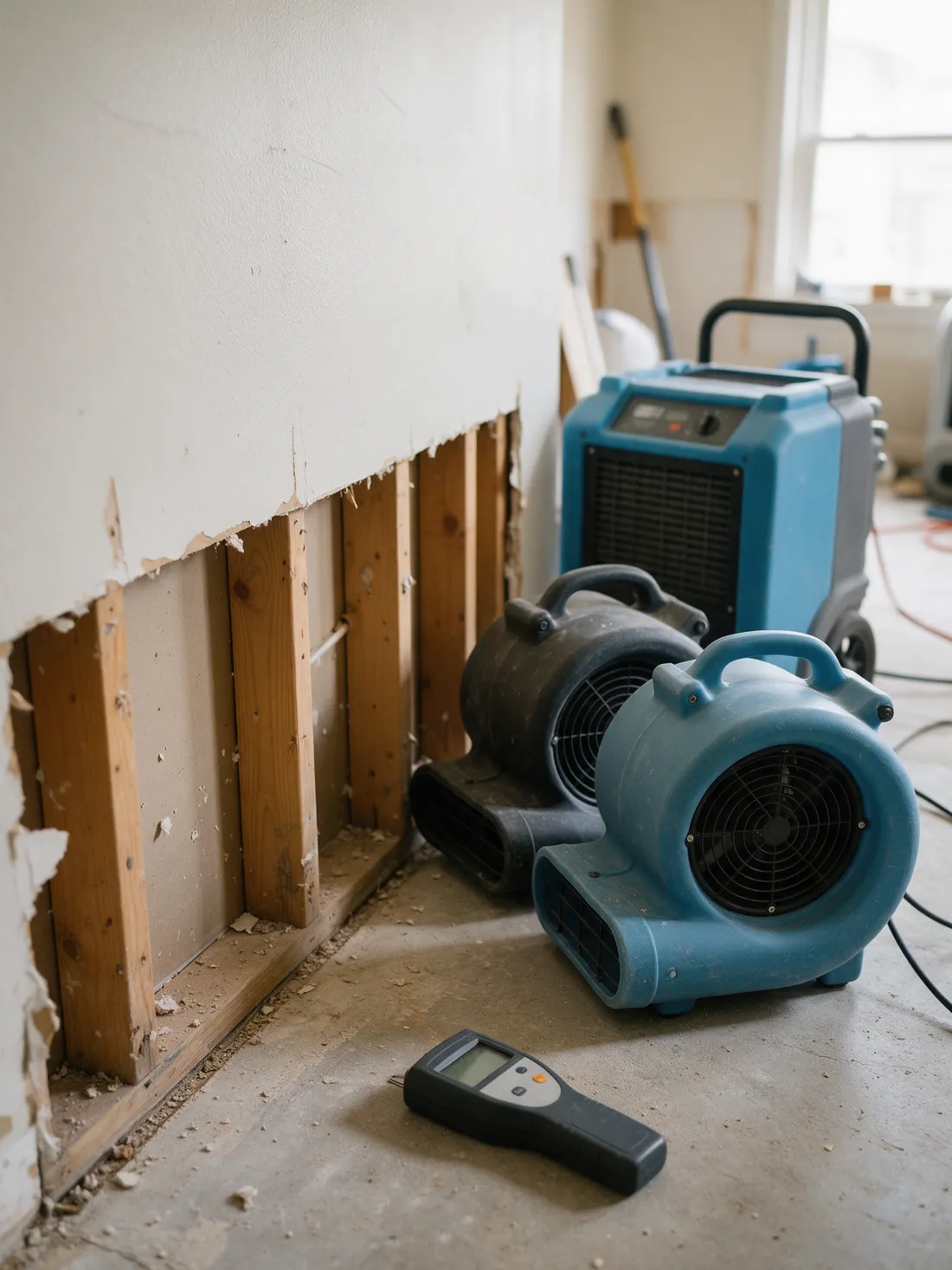
82 Restoration Locations, Royalties on Every Late Insurance Payment
Water damage restoration- Franchise locations
- 82
- Royalty disputes eliminated
- 100%
- Revenue recoveryThe recovered revenue alone pays for the software.
- Pays for itself
Results from one featured customer, All Dry Services. They are not typical, and your results depend on your systems and setup.
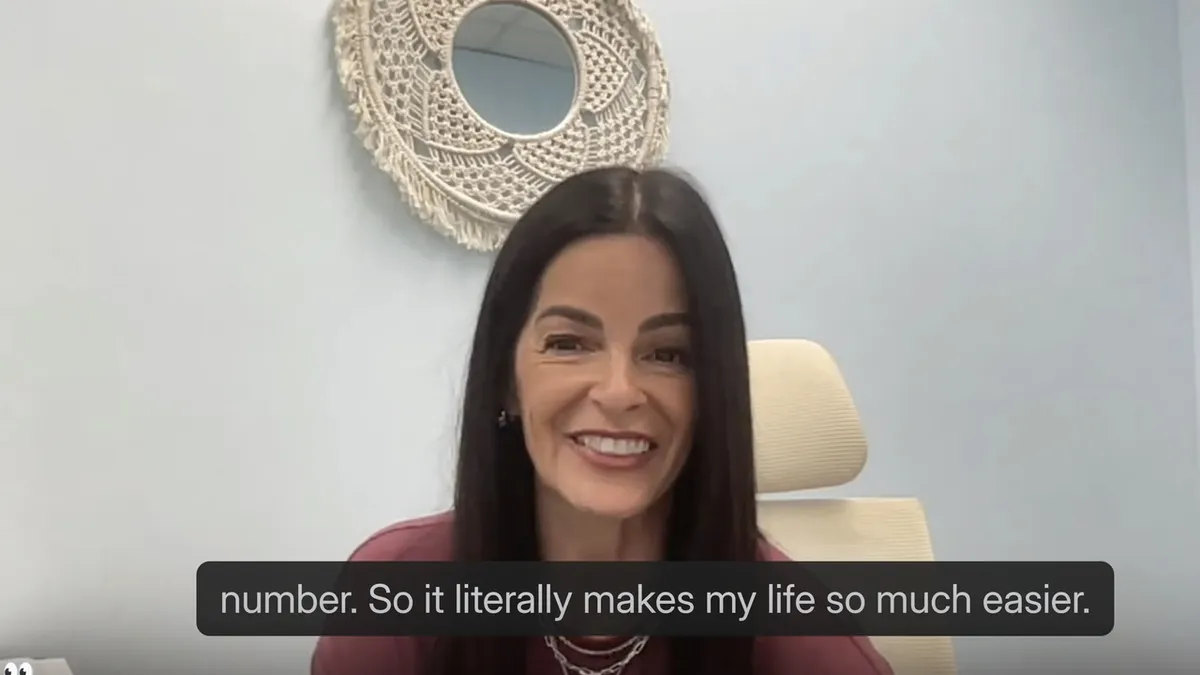
“All of these years, we've been struggling to find what invoices make up these numbers. And now with Autymate, we can find out, here's the invoices that make that weekly number. It literally makes my life so much easier.”
As a restoration franchise, All Dry has a unique billing challenge: insurance payments frequently arrive months after the original service and get backdated to the original invoice date. Autymate catches those payments and makes sure royalties are collected on revenue that would otherwise have been missed. Every royalty figure now traces to specific invoices.
Key moments in the video
- Finding the invoices behind each weekly royalty number (opens the video at this point in a new tab)
- Franchisees checking their own royalty figures (opens the video at this point in a new tab)
- Built around how the franchise already works (opens the video at this point in a new tab)
- Late insurance payments, backdated to the invoice (opens the video at this point in a new tab)
What Does Month-End Look Like Across Locations?
Five checks every home services location needs before the books close.
Month-end for a home services business adds a few steps a generic checklist misses: completed jobs not yet invoiced, maintenance agreement revenue to release, card payments still sitting in clearing, the royalty accrual for franchisees, and restoration work waiting on the carrier. When every location posts the same way through the month, those steps are the same list at every location, and your accountant works through one pattern instead of twenty.
Autymate keeps the clearing account and the royalty figures current through the month, so the close starts from books that already match the bank. The judgement calls stay with your accountant.
- 01Completed jobs not yet invoicedYour accountantinvoice them or accrue the revenue before close.
- 02Maintenance agreementsYour accountantrelease this month's share of deferred revenue.
- 03Clearing accountKept currentevery card and ACH payment tied to a deposit, with anything left explained as timing.
- 04RoyaltyKept currentaccrue the month's royalty on the agreement's definition of gross sales.
- 05RestorationYour accountantreview open insurance receivables by carrier and by age.
See What Posted at Every Location Before Your Bookkeeper Asks
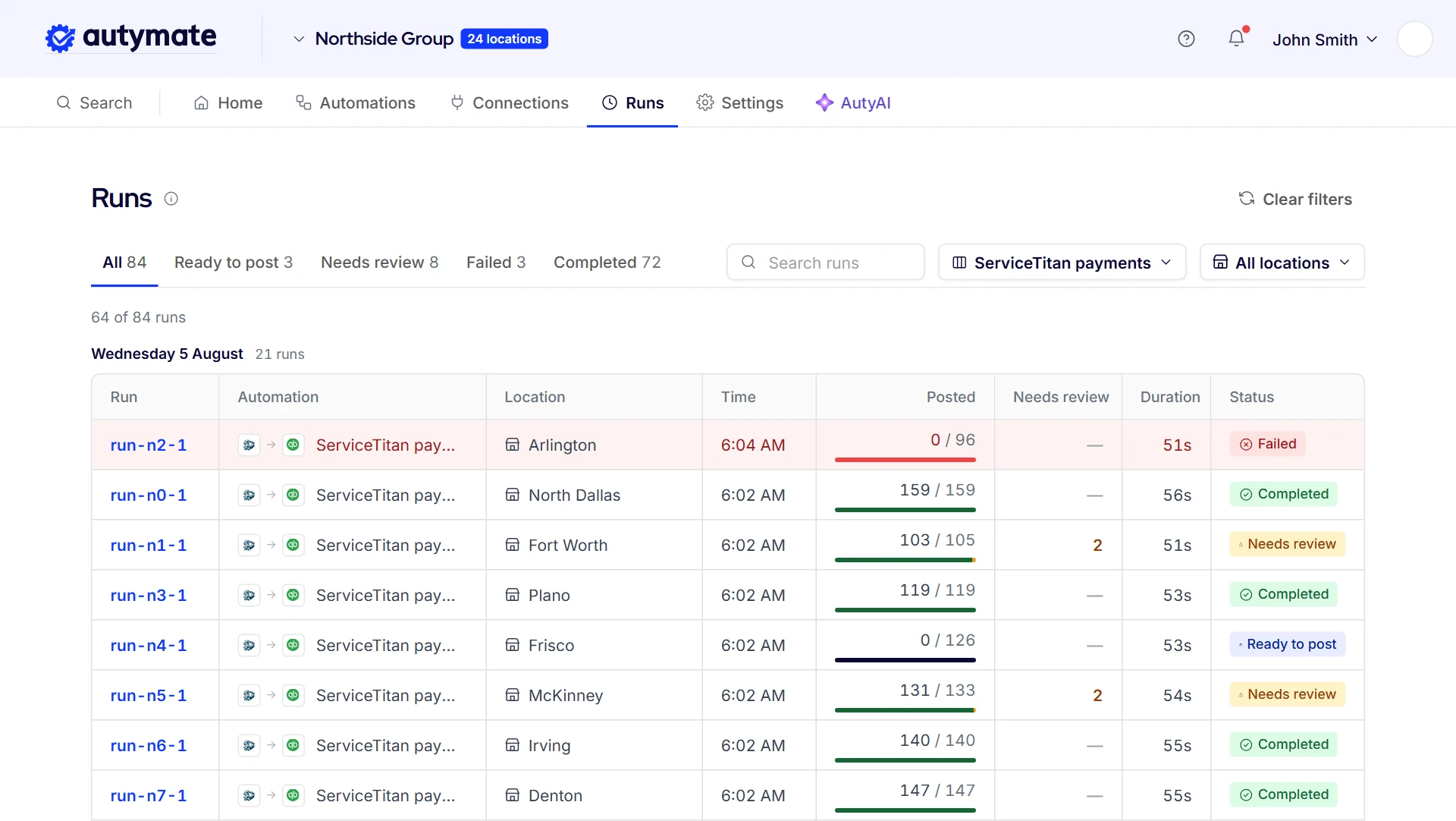
Nothing reaches your books until you have seen what it would write. Each location's run is listed on its own, with what posted, what is waiting and why. A payment Autymate can't place, such as one from a location with no mapping yet or a possible duplicate, waits in review with the reason in plain language, and the rest of that location's run posts as normal.
- Each location's runs listed separately
- What posted, what is waiting and why
- Plain-language reasons for anything held
- Possible duplicates held, not posted twice
- Queued and retried runs shown
This is the part bookkeepers ask about first. Many turn a field app's QuickBooks connection off and book one journal entry a month from deposits, because they can't see what the connection wrote. Seeing every run, location by location, lets them keep invoice-level detail in the books without a cleanup at month-end. If a run is queued or retried, you see that too.
Home Services Integration Questions
No.
Your techs keep the field software they already use, and your office keeps QuickBooks. Autymate sits between the two: it reads the jobs and payments from the field software and posts them to each location's books on the mapping your accountant approved. Nothing about how your crews work changes, which matters because switching field software is the disruption owners most want to avoid.
Yes.
Autymate posts to QuickBooks Desktop as well as QuickBooks Online, which matters in home services, where plenty of bookkeepers still keep Desktop files. Some field software connects only to QuickBooks Online; Jobber, for example, does not support Desktop. Autymate posts to whichever edition each location already uses, so nobody has to move their books to get the integration.
Autymate also posts to Xero, Sage Intacct, Oracle NetSuite, FreshBooks and MYOB.
The mapping works the same way whichever accounting system a location keeps: each kind of payment lands in the account your accountant chose, the processing fees and tips land on their own lines, and the field software doesn't need to know which system sits at the other end.
Yes.
Autymate builds and maintains the integration when a system isn't already listed, and that includes field software, estimating tools such as Xactimate, and payment processors. The build follows the same rules as every other connection, down to the mapping your accountant approves for each location, so a newly connected system posts exactly the way the rest of your locations do.
No.
Autymate does the posting your bookkeeper does by hand today: payments, fees and tips from the field software into the right accounts, matched to the deposits they arrived in. Your bookkeeper keeps the judgement, from approving the mapping to deciding what happens to anything held back and closing the month. The part that goes away is rebuilding deposits by hand.
Autymate posts by location and by account, so each location's books carry its revenue, fees and costs the way your accountant set them up.
Costing a single job, with its labour and materials, stays in your field software, which is built for exactly that. The two work together: the field software runs the job, and the books stay accurate for every location.
No.
Each franchisee keeps its field software and its own QuickBooks company or location, and posts on the mapping the franchisor and their accountant agreed. New locations start on that same mapping when they open. For the franchisor, royalty and gross sales then come from records posted on one mapping across the whole network, which is what makes them easy to check.
Five Steps Your Bookkeeper Stops Doing by Hand
Every day, for every location, Autymate reads, sorts, checks, posts and matches, so nobody rebuilds it by hand.
North Dallas, yesterday: ServiceTitan to QuickBooks Online
Reads
Pulls each location's jobs and payments from its CRM every day.
ReplacesExporting and re-keying jobs
Sorts
Puts every dollar in the account your accountant approved, the same way at every location.
ReplacesCoding transactions by hand
Checks
Holds anything unsure, like a payment recorded twice, with the reason. The rest carries on.
ReplacesCleanup after the fact
Posts
Writes the invoices, payments and fees to that location's own books.
ReplacesA monthly journal entry
Matches
Ties the payments, less fees, to the bank deposit.
ReplacesRebuilding Undeposited Funds
Same steps at every location
- North Dallas
- Fort Worth
- Plano
- Frisco
- Your locations
Page notices
Outcomes shown are from a featured customer and are not typical. All Dry Services’ results depend on its own systems and setup, and yours will depend on yours. We do not guarantee any specific outcome. The payment amounts, names and invoice numbers in the example deposits on this page are illustrations, not customer data.
QuickBooks and Intuit are trademarks of Intuit Inc. ServiceTitan, Jobber, Housecall Pro, FieldRoutes, PestPac, ServiceM8, Xactimate and the other names on this page are trademarks of their respective owners, used to identify the systems we connect.