
 Intuit Gold Partner
What Is a Payroll Journal Entry?
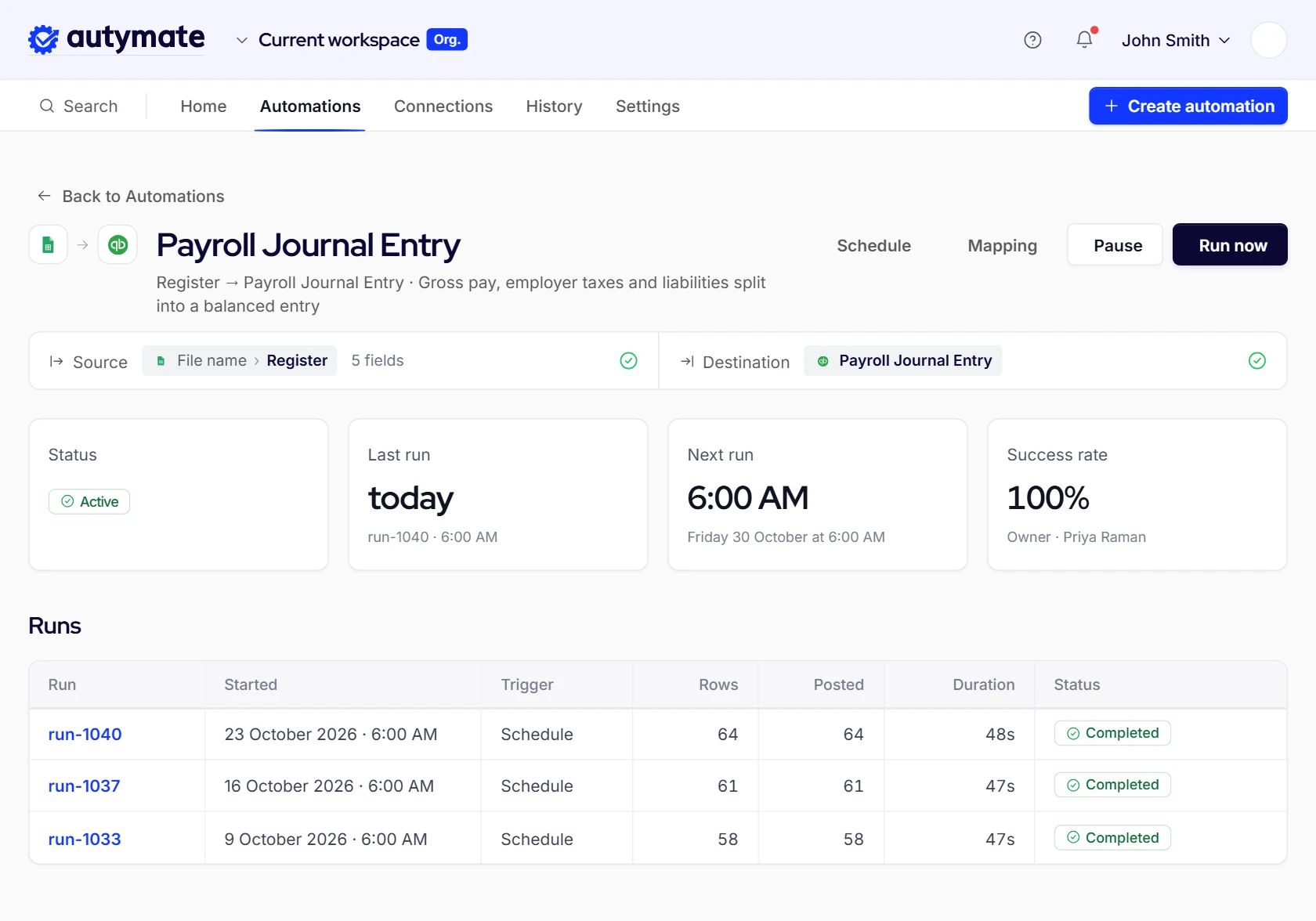
A payroll journal entry records one pay run in the books. Gross wages and employer taxes post as expenses, usually split by location or department. Employee withholdings, the employer's tax share, benefit deductions and garnishments post as liabilities until they are paid. Net pay posts to a payroll clearing account that the bank withdrawal clears. Using Autymate, that entry is built and posted for you after every pay run.
Where each part of the entry posts
- Expenses
- Gross wages and employer taxes
- Liabilities
- Withholdings, the employer tax share, benefit deductions and garnishments
- Clearing
- Net pay, until the bank withdrawal clears it
How to Record a Payroll Journal Entry
Seven steps every pay run, and the six Autymate takes off your desk.
To record a payroll journal entry, start from the provider's payroll journal or summary report, total each earnings, tax and deduction type, map each one to an account, split the expense lines by location or class, then post one balanced entry dated on the pay date. After the bank withdrawals land, match them to the clearing and liability accounts. Using Autymate, the mapping, split, posting and matching happen automatically.

- Run the payroll journal or summary report for the pay run.Automated
- Total each earnings type, employer tax, withholding and deduction.Automated
- Map each line to its account in the chart of accounts.Automated
- Split wages and employer taxes by location, class or department.Automated
- Post one balanced entry, dated on the pay date.Automated
- Match the bank withdrawals to the clearing and liability accounts.Automated
- Review exceptions and approve the month-end close.Your team
- $339
- A payroll error costs an average of $339 to correct, and 1 in 5 payrolls has one. EY analysis commissioned by Paycom, 2026 (opens in a new tab)
Hand the six steps to Autymate. Talk to us (opens in a new tab)
Payroll Automation in Production
Two staffing firms took payroll processing out of spreadsheets and into automated runs.
The Planet Group automated payroll from Bullhorn One through Autymate and cut payroll processing time from two days to two hours, redeploying two full-time staff. Atlas Medstaff connected Bullhorn to NetSuite and reports 100% data accuracy for weekly payroll details across 1,700 travel nurses. Both were built to each firm's existing systems, with no change of payroll provider or accounting system.

Staffing and recruiting · 800+ employees · Bullhorn One
- Payroll processing time
- 2 days to 2 hours
- Full-time staff redeployed
- 2

Travel nurse staffing · 1,700 travel nurses · Bullhorn to NetSuite
- Data accuracy for weekly payroll details
- 100%
Results are specific to these customers and are not typical. Your results will depend on your systems and how the work is scoped.
Payroll System Integration: A Bullhorn One Use Case
Four data flows between Bullhorn One and payroll, built for a staffing company and run every week.
In this payroll system integration, built for a staffing company on Bullhorn One, new hires and 1099 vendors are created in the payroll system automatically, and each week's batch payroll details, including hours and earning codes, go to payroll. Payroll then returns the final payroll details and the actual payroll burden to Bullhorn One. Autymate runs the sync on the client's schedule and flags each exception with a link to fix it.
 Bullhorn OneMiddle office
 Autymate SyncException alerts, each with a link to fix it
- Bullhorn One to PayrollBullhorn One, system of record: New hire or 1099 vendorPayroll, target: Employee or 1099 vendor record
- Bullhorn One to PayrollBullhorn One, system of record: Weekly batch payroll details: employee hours, earning codesPayroll, target: Weekly batch payroll details
- Payroll to Bullhorn OneBullhorn One, target: Weekly payroll details, final statusPayroll, system of record: Weekly payroll details, final status
- Payroll to Bullhorn OneBullhorn One, target: Weekly batch payroll burden actualsPayroll, system of record: Weekly batch payroll burden actuals
- System of record
- Target system
Baseline deliverables
- Synced on the schedule the client sets.
- Exceptions and errors flagged in the Autymate portal, each with a link to fix it.
- Configuration, such as run times, managed in the Autymate portal.
- A mapping interface for anything custom.
- Ongoing support and enhancements from Autymate.
Map Every Pay Code to the Chart of Accounts
One rule per pay code, decided once and applied to every pay run after it.
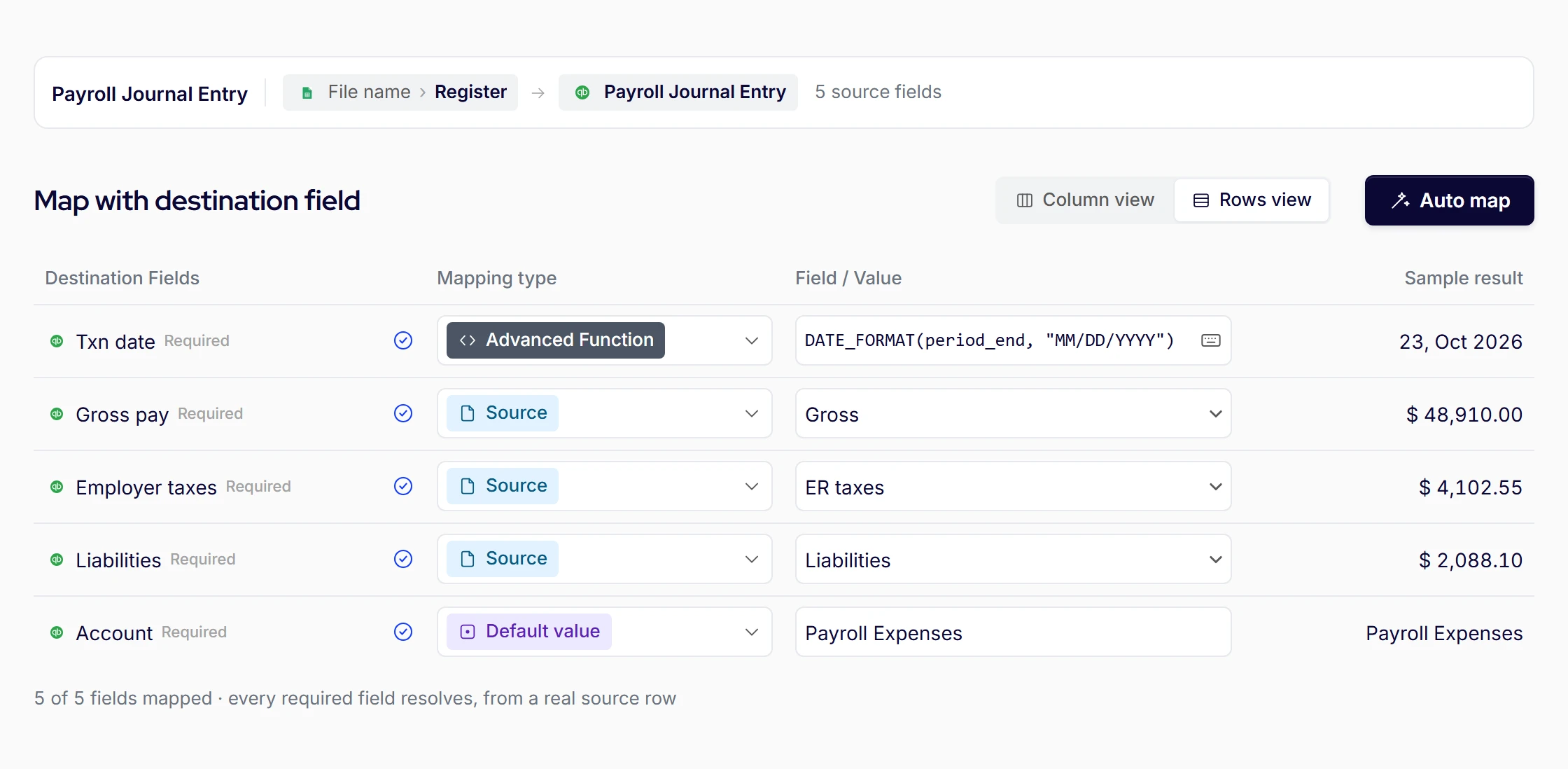
Mapping payroll to the chart of accounts means giving every pay code one home: earnings types to wage expense, employer taxes to payroll tax expense, each withholding and deduction to its own liability account, net pay to clearing and provider fees to an expense. Expense lines also carry a location or class. Using Autymate, the mapping is set once and checked on every run, so a new pay code is caught before it posts.
Sample pay-code mapping for a three-location business
Sample mapping
| Pay code | Account | Split by | |
|---|---|---|---|
| Earnings | |||
| Regular wages | 6100 Wages expense | Location | |
| Overtime premiumNew for 2026Tracked separately from 2026 (W‑2 box 12, code TT) | 6100 Wages expense | Location | |
| Tips paid through payrollNew for 2026Tracked separately from 2026 (W‑2 box 12, code TP) | 6110 Tips wages | Location | |
| Employer taxes | |||
| Employer FICA | 6150 Payroll tax expense | Location | |
| Employer state unemployment | 6150 Payroll tax expense | Location | |
| Withholdings | |||
| Federal income tax withheld | 2210 Federal withholding payable | Not split | |
| State income tax withheld | 2220 State withholding payable | Not split | |
| Employee FICA | 2230 FICA payable | Not split | |
| State paid-leave contributionNew for 2026New in some states, e.g. Maryland from 2027 | 2240 Paid-leave payable | Not split | |
| Deductions | |||
| 401(k) deferral | 2310 401(k) deferrals payable | Not split | |
| Health premium, employee share | 2320 Benefits payable | Not split | |
| Garnishment | 2330 Garnishments payable | Not split | |
| Fees | |||
| Provider fee | 6190 Payroll processing fees | Not split | |
| Net pay | |||
| Net pay | 1050 Payroll clearing | Not split | |
Download this mapping as a CSVSample accounts. Swap in your own chart of accounts.
Split Payroll by Location or Class
When the provider posts one total, someone reclasses it by hand. The split belongs before posting.
To split payroll by location, the split has to happen before the entry posts, using data the payroll already holds: each employee's home location, department or time entries. Wages split on that basis, and employer taxes split on the same basis, the step manual reclasses usually skip. Using Autymate, each pay run posts already split, including an employee who worked at more than one location.

Sample payroll journal entry for one pay run across three locations
Sample figures
| Account | Debit | Credit |
|---|---|---|
| Wages expenseDowntown | 12,000 | |
| Wages expenseNorthside | 10,000 | |
| Wages expenseAirport | 8,000 | |
| Payroll tax expenseDowntown | 1,242 | |
| Payroll tax expenseNorthside | 1,035 | |
| Payroll tax expenseAirport | 828 | |
| Federal withholding payable | 3,300 | |
| State withholding payable | 1,050 | |
| FICA payable | 4,590 | |
| State unemployment payable | 810 | |
| 401(k) deferrals payable | 1,500 | |
| Benefits payable | 900 | |
| Garnishments payable | 250 | |
| Payroll clearing (net pay) | 20,705 | |
| Total | 33,105 (tick: footed: the column adds to the total shown; Autymate makes this tie) | 33,105 (tick: footed: the column adds to the total shown; Autymate makes this tie) |
Tick marks
- Footed: the column adds to the total shown
Filled: Autymate makes this tie.
Payroll Liabilities, Explained
Money withheld or owed for a pay run that has not been paid out yet.
Payroll liabilities are the amounts a business owes because of a pay run but has not paid yet: income tax withheld, both halves of FICA, state unemployment, retirement deferrals, benefit premiums and garnishments. Each sits in its own liability account until the agency, plan or carrier is paid, then clears to zero. Using Autymate, every liability line posts to its own account and is matched to the payment that clears it.
- Why liabilities go negative
- The payroll sync records the tax payment, and the bank feed records the same withdrawal again. The liability is reduced twice.
- Why they never clear
- A deduction is mapped to an expense instead of a liability, so the payment has nothing to offset.
- Why they drift by a few dollars
- Rounding between the provider's tax deposit and the entry's line totals, run after run.
How 401(k) Payroll Integration Works
Six steps between the employer, the payroll provider and the plan, repeated every pay run.
401(k) payroll integration keeps the retirement plan and payroll in step. Each pay run, the employer's payroll data goes to the payroll provider, contributions are processed and their deposits confirmed, and any change an employee makes to a deferral, Roth election, loan or hardship withdrawal is sent back to payroll before the next run. Using Autymate, those changes move between the plan and payroll automatically, and each run's deferrals post to their own liability account.
Autymate keeps the loop in sync
Autymate keeps the loop in sync
- EmployerSends employee information to the payroll provider for payroll and 401(k) handling.Your team
- Payroll providerForwards payroll and employee data for processing.Payroll provider
- NotificationsProcesses the data and confirms the payroll deposits to the employer.Payroll provider
- EmployeeChanges a deferral, Roth election, loan or hardship withdrawal.Employee
- IntegrationForwards the employee's change to the payroll provider.Autymate
- Payroll providerUpdates the payroll system before the next pay run.Payroll provider
- Your team
- Payroll provider
- Employee
- Autymate
Back to step 1 at the next pay run
Why the Payroll Clearing Account Won't Clear
It clears to zero only when the entry's net pay matches what left the bank.
A payroll clearing account clears to zero only when the net pay on the journal entry matches the money that actually left the bank. It stays open when net pay leaves in several withdrawals, when taxes are recorded twice, when a voided or off-cycle check is missing from the entry, or when a fee is unmapped. Using Autymate, each run's clearing line is matched to its bank withdrawals, so the balance returns to zero.
Payroll clearing, one pay run
Sample figures
| Line | Amount | Balance |
|---|---|---|
| Pay run postedCredit | 20,705.00 | (20,705.00) |
| Direct deposits withdrawn, Oct 20Debit | 19,980.00 (tick: agreed to the bank withdrawal; Autymate makes this tie) | (725.00) |
| Live checks cleared, Oct 23Debit | 725.00 (tick: agreed to the bank withdrawal; Autymate makes this tie) | 0.00 |
Tick marks
- Agreed to the bank withdrawal
Filled: Autymate makes this tie.
Why it stays open
- Net pay leaves in more than one withdrawal, and only one is matched.
- Taxes are recorded by the payroll sync and again by the bank feed.
- A voided, reissued or off-cycle check is missing from the entry.
- A provider fee or garnishment is withdrawn but never mapped.
- The mapping changed mid-year and old runs still post the old way.
Clearing account still open? Bring last month’s pay runs to a call (opens in a new tab)
Payroll Reconciliation, From the Pay Run to Year-End
Four tie-outs from the pay run to year-end, so small differences never pile up.
Payroll reconciliation is matching what payroll says was paid against the bank and the books: net pay to the bank withdrawals, each liability to the payment that clears it, wage expense to the payroll register, and tax totals to the quarterly and year-end filings. Done every run, a difference is found while it is one pay run old. Using Autymate, the pay-run and liability matches are made as each run posts, so month-end starts from matched accounts.
| When | What ties to what |
|---|---|
| Every pay run | Net pay on the entry matches the bank withdrawals, and the clearing account returns to zero.
|
| Month-end | Each liability account ties to the payments made to agencies, plans and carriers, and wage expense ties to the payroll register.
|
| Quarterly | Payroll tax totals tie to Form 941 and the state unemployment returns before they are filed.
|
| Year-end | W-2 and W-3 totals tie to the four quarterly Form 941 filings.
|
Tick marks
- Agreed to the bank withdrawal
- Agreed to the payment that clears it
- Agreed to the payroll register
- Agreed to the filed return
Filled: Autymate makes this tie. Outline: your team ties it.
The Payroll Accrual Journal Entry at Month-End
When a pay period crosses month-end, the days already worked belong to this month.
A payroll accrual journal entry records wages and employer taxes for days worked in the month but paid in the next. Count the workdays that fall in the month, apply that share to the period's wages and employer taxes, credit accrued payroll and accrued payroll taxes, then reverse the entry on the first day of the next month. Using Autymate, the accrual posts at month-end, split by location, and reverses automatically.
October 5 of 10 workdays, accrued at month-end
November 5 of 10 workdays, worked in November
Sample accrual on October 31 for a pay period of October 26 to November 6 (5 of 10 workdays in October)
Sample figures
| Account | Debit | Credit |
|---|---|---|
| Wages expenseDowntown | 6,000.00 | |
| Wages expenseNorthside | 5,000.00 | |
| Wages expenseAirport | 4,000.00 | |
| Payroll tax expenseDowntown | 621.00 | |
| Payroll tax expenseNorthside | 517.50 | |
| Payroll tax expenseAirport | 414.00 | |
| Accrued payroll | 15,000.00 (tick: reverses on the first day of the next month; Autymate makes this tie) | |
| Accrued payroll taxes | 1,552.50 (tick: reverses on the first day of the next month; Autymate makes this tie) | |
| Total | 16,552.50 (tick: footed: the column adds to the total shown; Autymate makes this tie) | 16,552.50 (tick: footed: the column adds to the total shown; Autymate makes this tie) |
Tick marks
- Reverses on the first day of the next month
- Footed: the column adds to the total shown
Filled: Autymate makes this tie.
Reverses on November 1, so the November 13 pay run is not counted twice.
Switching Payroll Providers Without Re-Keying the Books
The liabilities stay put. The mapping is what has to move with you.
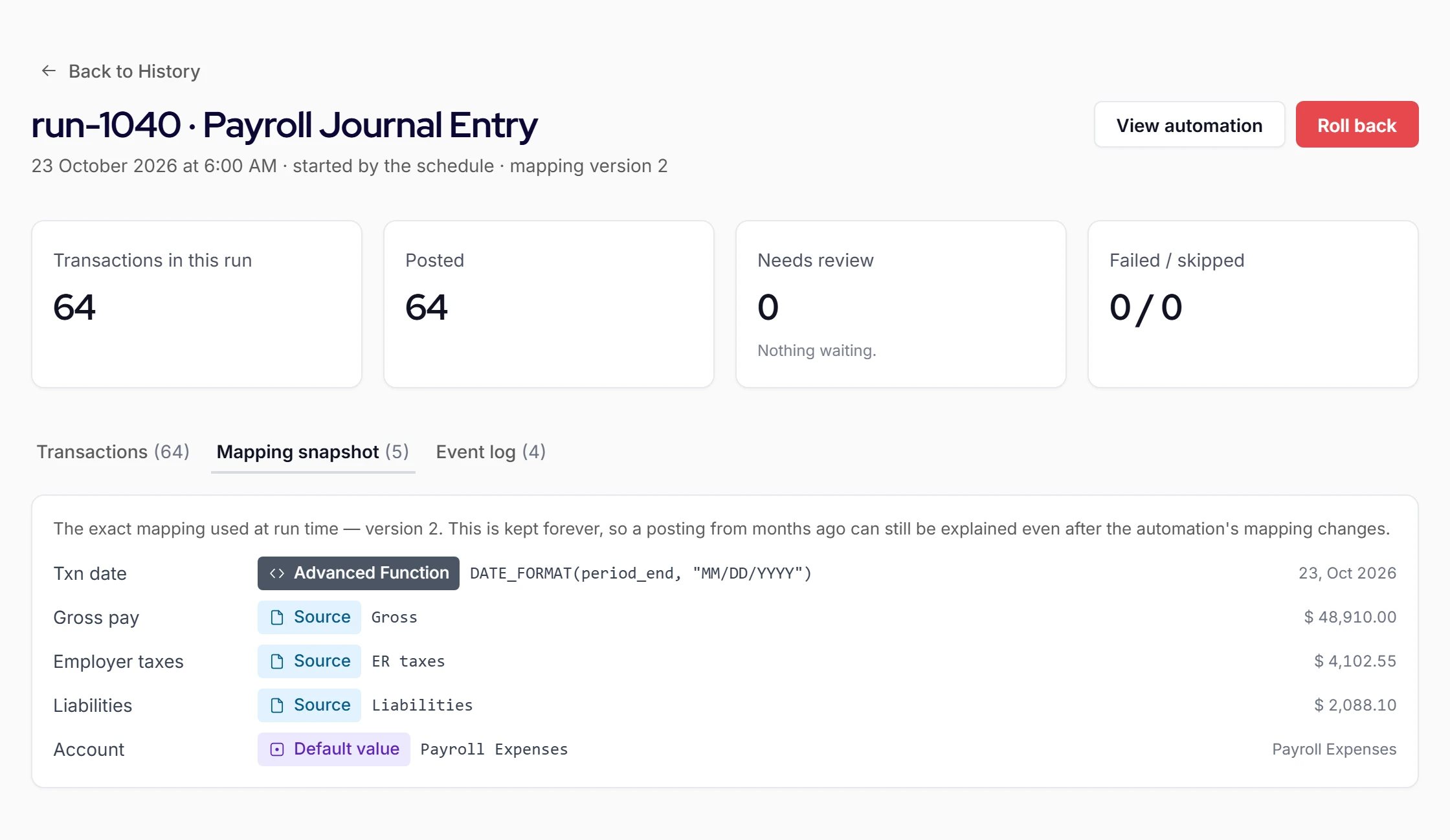
When you switch payroll providers, the open liabilities and clearing balance stay with the old provider until they are paid, and the new provider's pay codes have to map to the same accounts and classes. Expect two entries and two sets of bank withdrawals in the switch month, and tie year-to-date wages and taxes across both. Using Autymate, the new provider connects to your existing mapping, so the books read the same after the switch.
Why now
QuickBooks Online Payroll became QuickBooks Workforce, with per-employee fees changed from July 1, 2026, and QuickBooks Desktop 2023 payroll services ended after May 31, 2026. Both are sending businesses to new payroll setups.
- Post a cutover entry for the old provider's open liabilities and clearing balance.
- Map the new provider's pay codes to the same accounts, classes and locations.
- Expect two entries and two sets of bank withdrawals in the switch month.
- Tie year-to-date wages and taxes across both providers before year-end.
- Post any back runs as a batch rather than by hand.
Switching providers this year? Bring both payroll summaries to a call (opens in a new tab)
The 2026 Overtime, Tips and Paid-Leave Changes
The totals don't change. What payroll has to track, and map, does.
The 2026 overtime and tips rules do not change what a pay run costs. Overtime and tips are still wages for withholding, Social Security and Medicare. What changes is tracking: from tax year 2026, W-2 box 12 reports qualified overtime with code TT and qualified tips with code TP, so payroll needs them as separate pay codes. Each new code needs a home in the chart of accounts before year-end close.
| Change | Effective | Source |
|---|---|---|
| Overtime and tips on the W-2From tax year 2026, qualified overtime compensation is reported in box 12 with code TT and qualified tips with code TP. The relief available for 2025 does not carry over. | IRS (opens in a new tab) | |
| New state paid-leave liabilitiesMaryland's paid family and medical leave contributions start January 1, 2027, at a 0.9% total rate, with up to half withheld from employees. | Maryland Department of Labor (opens in a new tab) | |
| QuickBooks Desktop 2023 payrollPayroll services for QuickBooks Desktop 2023 ended after May 31, 2026. | Intuit (opens in a new tab) |
When a Pay Run Changes After It Posts
Off-cycle runs, voids, retro pay and new pay codes. The books keep up.
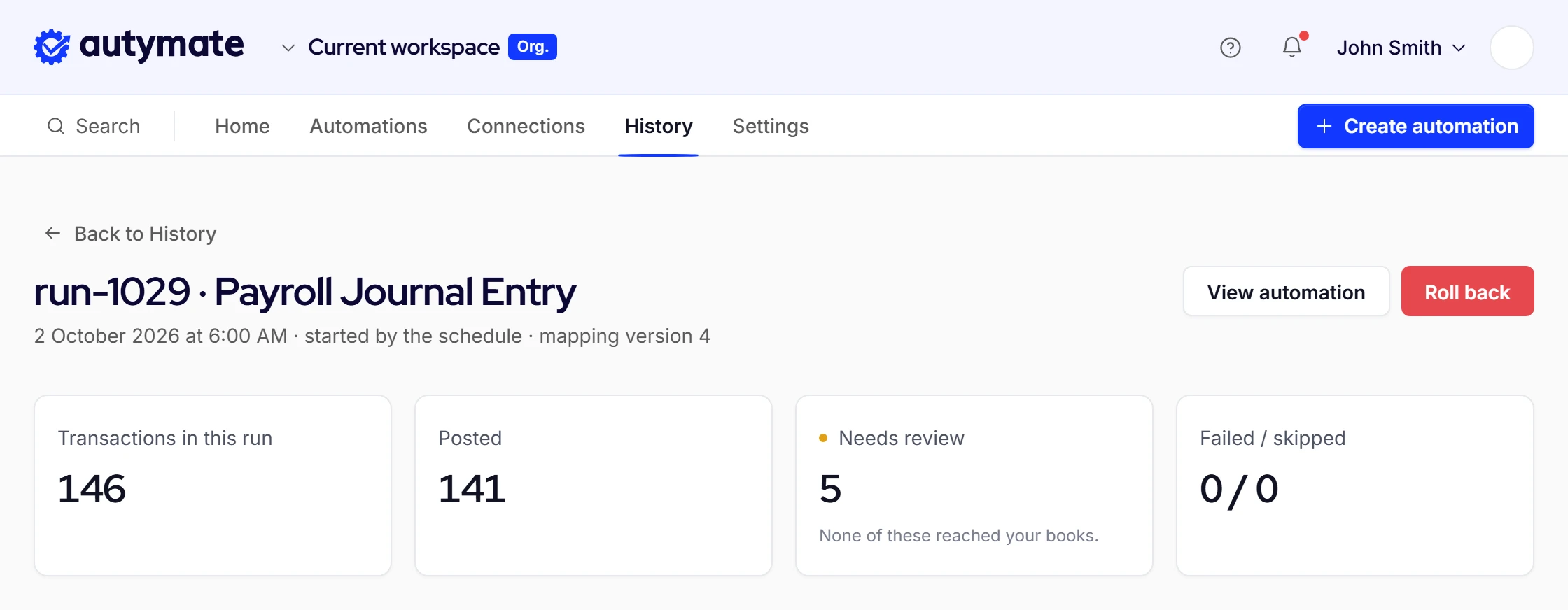
Pay runs change after they post: a bonus runs off-cycle, a check is voided and reissued, retro pay corrects last month, or a new deduction appears. Autymate's team monitors each run and catches exceptions early, often before your accounting team does. A corrected run can be undone and reprocessed as a batch, and a pay code with no mapping is held for review instead of posting to a guess.
When this happens
What happens next
- An off-cycle bonus run
- Posts as its own entry, mapped and split like any pay run.
- A voided and reissued check
- The void reverses the original lines, so the clearing account stays tied.
- Retro pay for a prior month
- Posts to the period you choose, with the same location split.
- A new deduction or pay code
- Held for review until it has a home in the mapping.
Payroll Journal Entry Questions
Yes, using Autymate. Autymate builds and runs the integration that posts each pay run into QuickBooks Online, QuickBooks Desktop, NetSuite or another accounting system: the mapped entry, the location or class split, liabilities, the clearing account tied to the bank, and the month-end accrual. Your finance team keeps the mapping policy and approves exceptions, and Autymate's team monitors the runs.
It depends on who runs payroll. If payroll runs inside QuickBooks, correct the paycheck or the tax setup in payroll so the liability recalculates. If an outside provider runs payroll, QuickBooks holds no payroll items, so the correction is a journal entry to the right liability account, dated in the affected period, then reconciled to the provider's liability report. Most adjustments trace back to a tax recorded twice.
In QuickBooks Desktop Payroll, liabilities are adjusted through the payroll liability adjustment window, dated in the period being corrected, so the payroll reports stay consistent. When an outside provider runs payroll and posts a journal entry instead, adjust with a journal entry to the specific liability account. Either way, reconcile the account to the provider's liability report afterwards, so the correction does not reappear next quarter.
A payroll clearing account is a temporary balance-sheet account. The payroll entry credits it for net pay before the money leaves the bank, so while a run is outstanding it carries a credit balance and behaves like a current liability, which is how many businesses set it up. It should hold a balance only between posting and withdrawal. A balance still there at month-end is a reconciling item to investigate.
Payroll services for QuickBooks Desktop 2023 ended after May 31, 2026, so the version no longer calculates payroll taxes. The options are upgrading to a supported Desktop version with a payroll subscription, or running payroll with an outside provider and posting each pay run into QuickBooks as a journal entry. Using Autymate, that entry posts automatically, mapped and split the way your books already work.
Scope depends on how many payroll providers and entities post, how many locations or classes each entry splits across, how many pay codes, deductions and benefits need their own accounts, and whether accruals, back runs or a provider switch are part of the work. Autymate scopes each build on a call with your accounting team, starting from one real pay run's payroll summary.
Author and Sources
Written by

Bryan Perdue on LinkedIn (opens in a new tab) · Founder & CEO, Autymate
Bryan Perdue is the founder and CEO of Autymate, which builds managed integrations between operational systems and the accounting system for staffing, franchise and multi-location businesses.
Updated
Sources
- IRS, General Instructions for Forms W-2 and W-3 (opens in a new tab)
- Maryland Department of Labor, FAMLI contributions (opens in a new tab)
- Intuit, QuickBooks Desktop discontinuation policy (opens in a new tab)
- Intuit, QuickBooks payroll pricing (opens in a new tab)
- EY analysis commissioned by Paycom, 2026 (opens in a new tab)