
The custom app

Hospice software · a web app for hospice staff, prefilled from nine EHR systems
- Reduction in manual processes
- 90%
- Hospices, smart integrations
- 350+
 Intuit Gold Partner
Autymate builds custom HR software to your requirements and connects it to payroll and QuickBooks or NetSuite, so each value is typed once.
Describe the workflow your HR system doesn't cover. We will walk through how it would be built and connected.
The same values, typed once. The last cell is the step someone used to do by hand.
Custom HR software development is building an HR tool around one company's own workflow, instead of buying another product and changing the workflow to fit it. It usually fills a gap the HRIS leaves: onboarding that spans HR, IT and payroll, credentials that expire, or hours a client must approve. The tool only pays off once its data reaches payroll and the books. Using Autymate, each tool is built to your requirements and connected to both.
93%
93% of US HR leaders said their team has built a custom tool or automation for at least one need instead of buying software.
Remote, 2026 survey of 3,250 people leaders in eight countries; Remote sells HR software (opens in a new tab)Keep the HRIS for records and payroll. Build only the workflow it doesn't cover.
Buy another HR app
Fits when
The workflow is standard, and the app already connects to your payroll.
Trade-off
Another seat for every user, and its data often stops at an export.
Replace the HRIS
Fits when
Employee records and payroll themselves no longer fit the business.
Trade-off
Every record and pay history moves, and everyone retrains.
Recommended
Keep it and build the gap
Fits when
The HRIS works, but one workflow runs on spreadsheets, forms and email.
Trade-off
The tool needs an owner after launch, so agree who that is in the scope.
Build custom HR software when the workflow is specific to how your business runs, when its output has to land in payroll and the books, and when the nearest off-the-shelf tool charges every user for far more than you need. Keep the HRIS for employee records and payroll. Using Autymate, the custom tool is built for that one workflow and connected to the systems you already run.
One workflow still on spreadsheets? Describe it to us (opens in a new tab)
Six workflows that fall between the HRIS, payroll and the people doing the work.
Companies build custom HR tools for the workflows that cross systems: onboarding that needs HR, IT and payroll to act in order, credentials that expire, hours a client must approve before they are paid, and offboarding that ends in a final paycheck. Most start life in a spreadsheet, a form or an email thread. Using Autymate, each tool is scoped to your requirements and connected to payroll and the books.

Examples, not a product list. Every tool is scoped to one company's requirements.
Three hand-offs: the tool to payroll, payroll to the books, and every entry traced back.
| Where the record is | Who | Location | Amount |
|---|---|---|---|
| Your custom toolApproved hours | E-1042 | Northside | |
| PayrollPay line | E-1042 | Northside | 703.00 |
| QuickBooks or NetSuiteJournal line | Wages expense | Northside | 703.00 Dr |
Reference on the journal line: E-1042, week of Nov 2, 2026
Northside and 703.00 hold the same position in all three. Nothing is retyped.
A custom HR tool connects in three hand-offs. Approved records, such as a new hire or a week of approved hours, go to payroll. Each pay run then posts to QuickBooks or NetSuite as a journal entry, split by location or class. Every entry carries a reference back to its source. Using Autymate, fields are mapped and validated on the way, and anything unclear is held for your team's decision instead of posting.
See where your HR data would land in the books (opens in a new tab)
One custom app built for front-line staff, and one staffing workflow run from onboarding to cash.
HEALTHCAREfirst, a hospice software company, had Autymate build a web app that hospice staff use on any device to record incidents and infections, prefilled from nine EHR systems. Its case study reports 350+ hospices and a 90% reduction in manual processes. The Planet Group, a staffing firm, automated its chain from onboarding and time sheets through approval, payroll and invoicing to collected cash, starting from Bullhorn.
The custom app
Hospice software · a web app for hospice staff, prefilled from nine EHR systems
The HR workflow
Staffing and recruiting · 800+ employees · starting from Bullhorn
Results are specific to these customers and are not typical. Your results will depend on your systems and how the work is scoped.
One documented method, with progress you can see and check every week.
Autymate's HR software development services follow one documented method: discovery and technical planning, mockups reviewed with the people who will use the tool, the build and its connections, user acceptance testing, then a phased rollout. The work runs in weekly sprints with weekly stakeholder reviews, a dedicated project manager and a live Gantt chart. Scope, and with it cost and time, is set in discovery, from the drivers below.

The cadence
What decides the scope
What protects employee data, and what happens when a record doesn't fit.
A custom HR tool carries names, pay rates and tax details, so the controls matter as much as the features. Autymate is SOC 2 Type 2 compliant, independently audited across all five trust criteria. Data is encrypted at rest and in transit and kept in the United States. Once the tool is live, Autymate's team monitors the connections, and a record the mapping cannot place is held for your team's decision.
37%
What it covers
How it works
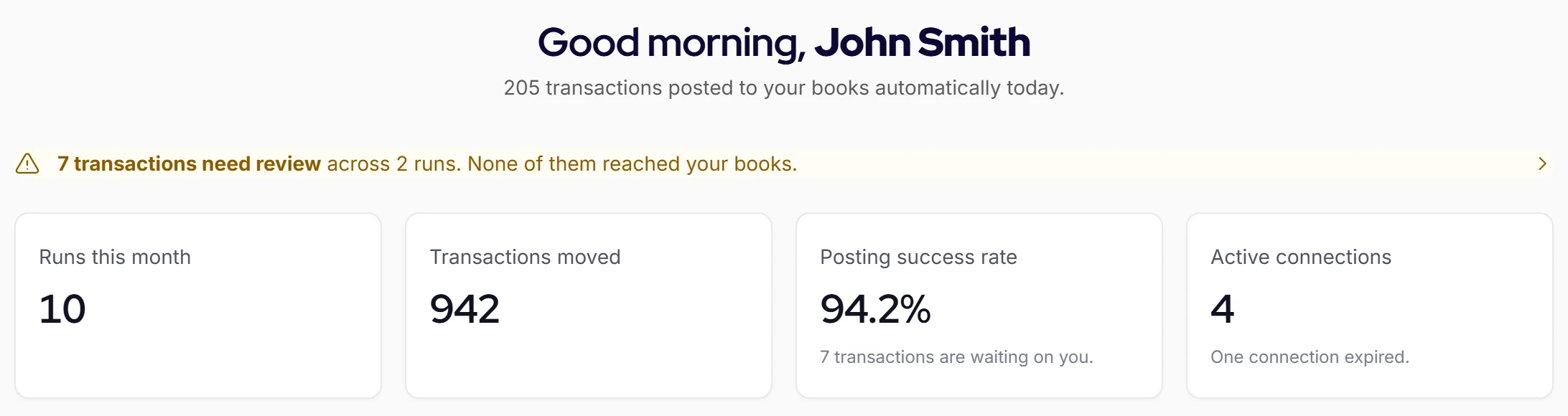
Held for your team's decision. Once your team decides, it posts.
Yes, using Autymate. The custom tool hands its approved records to payroll, and each pay run posts to QuickBooks Online, QuickBooks Desktop or NetSuite as a balanced journal entry, split by location or class. Autymate builds and runs those connections alongside the tool, so the data a manager approves in the tool is the data that reaches the books, with a reference back to where it came from.
An HRIS holds employee records: who works here, in what role, at what pay. An HRMS adds the processes around them, such as time, leave and onboarding. An HCM suite goes further into recruiting, performance and workforce planning. The labels overlap between vendors. A custom HR tool sits beside whichever one you run and handles the one workflow it leaves to spreadsheets.
There is no fixed price, because no two workflows are the same size. Published ranges vary widely because they price different things, from a single form to a full HR platform. A fair number needs the workflow itself: who uses it, what it approves and where its records go. Autymate sets scope, cost and schedule in discovery, and nothing is built until you agree them.
A low-code form or app is often enough when one team uses it, it holds a few fields, and nothing has to reach payroll. It stops being enough when the workflow spans several systems, feeds payroll and the books, needs an audit trail, or depends on the one person who built it. Using Autymate, the tool is built for you and connected, so nobody inside the business has to maintain the plumbing.
For a prototype, often yes. For a tool that holds employee data and feeds payroll, the risk is in what the code gets wrong unseen: Veracode's 2025 test of AI-generated code found security flaws in 45% of curated coding tasks. Add who maintains it after the person who built it moves on, and how it reaches payroll and the books. Those are the parts to scope before anyone builds.
Yes, using Autymate. The tool is built to know each location: who works where, which location approves their hours, and which location's books their pay lands in. Payroll then posts by location or class, and labor cost by location comes straight from the P&L. Each location or entity can keep its own company file under one mapping template.
Written by

Bryan Perdue on LinkedIn (opens in a new tab) · Founder & CEO, Autymate
Bryan Perdue is the founder and CEO of Autymate, which builds managed integrations between operational systems and the accounting system for staffing, franchise and multi-location businesses.
Updated
Sources
Bring the spreadsheet or form it runs on today. We will walk through how it would be built and connected.
Talk to Us (opens in a new tab)Intuit Gold Partner